SEO becomes less about theory and more about daily clarity if you want to grow a website with a lot of content, like Simplify AI Tools. What is broken right now, what is making your rankings go down, what pages aren’t doing well, and what should you fix first?
That is exactly what Seobility does.
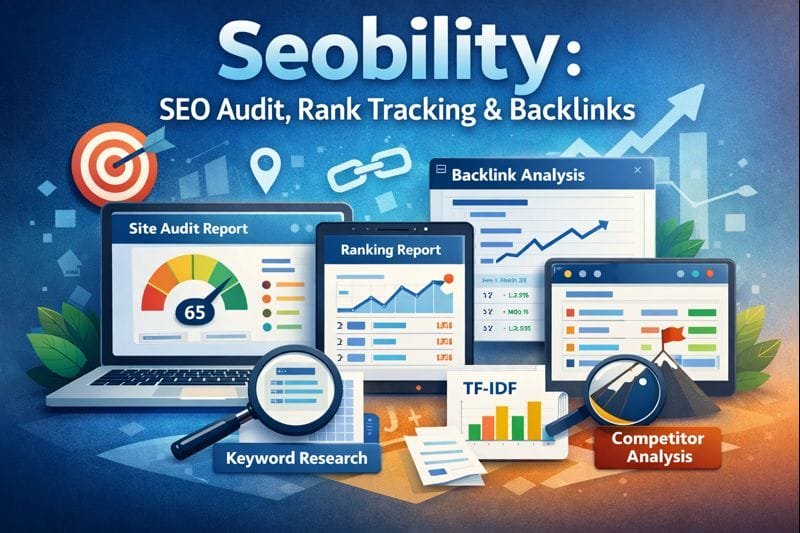
Seobility is an all-in-one SEO platform that works on one main idea: it scans your website like a search engine and then tells you what to fix to make it easier for search engines to crawl, more relevant, and healthier overall. It has a dashboard that lets you do a website audit (crawl), keep an eye on your rankings, backlinks, and competitors, and use content tools like keyword research and TF IDF.
The focus on tasks that can be done makes it useful for small groups. Instead of using a lot of SEO jargon, it points out problems that are actually getting in the way of growth and helps you figure out which ones are most important.
In simple terms, what is Seobility?
You can think of Seobility as a “website health scanner + SEO progress tracker.”
An analytics tool that works normally tells you what happened. Seobility helps you understand what happened and what to do next. It does this by:
- A website audit scans your pages like a crawler would and then tells you about any technical or on-page problems.
- Keeping an eye on your keyword rankings over time and showing which pages are getting more or less traffic (Ranking Monitoring).
- Backlink Monitoring lets you keep an eye on your backlinks so you can see new links, lost links, and signals of link quality.
- Competitor analysis is the process of looking at your site and comparing it to your competitors’ sites to find keyword gaps and backlink opportunities.
- Using Keyword Research and TF IDF suggestions (Content Tools) to help with content work.
This is important for a publishing site like Simplify AI Tools because you probably have a lot of pages, a lot of internal links, and you update the site often. Even a well-built site can have problems like broken links, duplicate titles, weak metadata patterns, and keywords that are used too many times. Seobility is designed to find these problems early and keep SEO from getting out of hand.
The three most important modules
2.1 Audit of the website (Technical SEO and On-Page)
This is the main engine behind Seobility. You enter your domain, start a crawl, and it gives you a list of SEO problems in a structured way.
The Website Audit looks for things that usually get in the way of rankings, like
- HTTP status codes and broken pages, like pages that are missing, time out, or have server problems
- Problems with meta data include missing titles, titles that are too long, missing descriptions, and titles or descriptions that are the same.
- On-page problems with HTML elements related to SEO, such as how to use headings and alt attributes for images
- Analysis of duplicate content, such as pages with the same content, HTML pages that are the same, and keyword cannibalization
- Single page analysis lets you look more closely at links, metadata, content, and keywords that come in and go out.
- JavaScript crawling option, which is important if some parts of your site load content on the fly
The SAIT-friendly way to use Website Audit correctly
Step 1: Do a first crawl to get a baseline
Don’t touch anything yet. Save or export the report and use it as your “starting snapshot.”
Step 2: Start with the blockers that have the most effect
Most websites see the biggest jumps in their rankings when they get rid of crawl and relevance blockers. Your first priority should usually be:
- Pages that don’t work and server errors (because Google hits dead ends)
- Duplicate titles and descriptions (because it’s harder to tell pages apart)
- Duplicate content and cannibalization (when more than one page competes for the same search term)
There is no metadata on important pages like the homepage, categories, money pages, and top posts.
Step 3: Don’t work randomly; work in groups.
To use Simplify AI Tools, do it this way:
- Tha Batch A: The 20 pages with the most traffic or conversions
- Batch B: The top 20 pages with the most impressions but the fewest clicks (these are usually easy wins)
- Batch C: Pages that were just published (new pages need to be optimized right away)
Step 4: Crawl again and check for progress
The plan table for Seobility says that there can be unlimited re-crawls with a wait time. This means that crawls are not a one-time thing, but rather checkpoints.
After each round of fixes, your goal is to see the number of errors go down and the quality of the pages go up.
This module is most helpful for SAIT in
- Pages that list tools: stop duplicate titles across hundreds of tools, make sure descriptions are unique, and keep internal linking the same.
- Blog posts: find pages with missing H1 structure, weak metadata, and thin content
- Affiliate pages: find broken links that go out and make sure that important pages are linked to each other correctly.
- Category pages: find patterns of duplicate content where category introductions are the same on different pages
2.2 Monitoring Rankings (keeping an eye on keywords that are still useful)
Ranking Monitoring is a way to see how far you’ve come, not how you feel.
Seobility’s Ranking Monitoring keeps track of keyword rankings and updates them every day. It also lets you look at performance by keyword and by page.
It also lets you track results at the city or regional level and keeps an eye on Local Pack results, which is helpful when you want to focus on certain areas.
It also shows that you can keep an eye on positions up to the top 100, depending on how you set it up and what your plan is.
How to use it right
- Begin with 10 to 30 main keywords
Most sites fail here because they try to track too many keywords too soon. Only keep track of what you really want to win. - Give each keyword a page to go to
When one keyword doesn’t have a clear target page, rankings get all messed up. Make a clear map:
Keyword: “the best directory of AI tools”
Target page: the main page of your directory
Keyword: “Review of Seobility”
Your Seobility tool page or blog guide is the target page.
- Don’t panic every day; look at weekly trends.
Movement every day can be noise. A trend that lasts 2 to 4 weeks is your real signal. - Not just keyword view, but also page view
Seobility makes it clear that you should look at performance from the page level instead of just the keyword level.
Page view is gold for SAIT because it shows you which tool pages are getting more views and lets you focus on those.
2.3 Backlink Checker and Backlink Monitoring (Off-page without confusion)
Backlinks are still important for rankings and authority. Seobility’s Backlink Monitoring lets you see new and lost backlinks at a glance and checks broken link targets so you can get back what you lost.
It also has useful features like a “link rating” style metric and the ability to export backlink data to PDF or CSV for reporting.
How to use it the right way
- Check your new and lost backlinks every week.
Losing links is a common reason why rankings drop. Seobility says, “new and lost backlinks at a glance.” - First, fix the broken targets.
You lose value if an outside site links to a page that is now 404 or goes to the wrong place. Seobility looks for broken link targets so you can fix them and get your impact back. - Use competitor backlink tracking to find chances
Seobility’s Competitor Analysis helps you find competitor backlinks so you can find places and chances to build links that are just as valuable.
The best way for SAIT to get backlinks is not to reach out to random people. It is “outreach to pages that already link to multiple competitors” or “broken competitor backlinks” because these methods get more people to buy. Seobility even includes these as ideas for building links.
Tools that help you in Seobility and how to use them well
Seobility does more than just audits and tracking. It also has tools for optimizing content and doing keyword research.
3.1 Tool for Keyword Research
Seobility’s Keyword Research Tool lets you find keywords and questions that people search for, look at your competitors, and see metrics like search volume, intent, and the pages that rank highest.
How to best use it for SAIT
- Using seed keywords
“AI video editor” is an example of a seed keyword.
Use the tool to add related searches, FAQs, and supporting keywords. - Approach to competitor domains
To find out which keywords a competitor ranks for, go to their domain and look for gaps. Then, make content that fills those gaps. - The gap analysis method
Seobility talks about finding gaps and overlaps in keyword coverage by comparing sites.
This is great for SAIT because you can find competitors who have already captured “missing tool categories” or “missing tutorial topics.”
3.2 Optimizing content with TF IDF
The TF IDF tool from Seobility looks at the top-ranked pages for a keyword and finds important terms that you should use to cover the whole topic. It also has a live editor and suggestions.
A simple way to use TF IDF without overthinking it
- Choose one main keyword for a page
- Run TF IDF and get the suggested terms.
- Don’t stuff them. Use them naturally in headings, short descriptions, and frequently asked questions.
- After you update the content, keep an eye on the changes in Ranking Monitoring.
TF IDF is very helpful for SAIT-style reviews and guides because “tool review content” can get boring on different pages. TF IDF helps you fill in the gaps by giving you use cases, integrations, pricing caveats, alternatives, and real workflows.
3.3 Competitor Analysis (this is a secret way to grow)
With Seobility’s Competitor Analysis, you can see where your competitors are doing better than you and where you already have an edge by looking at their rankings, backlinks, and keyword coverage.
It also has a competitor dashboard that shows you visibility trends and the growth of referring domains, so you can see when things change and when you have a chance.
A real-world example of SAIT use
Choose three competitors in your niche, such as AI tools directories, SEO blogs, or sites that review specific tools. Then:
- Find words that they rank for that you don’t.
Make pages that are better and clearer than the ones that use those keywords.
Look at where they get backlinks and then send your updated page to those same sites.
A weekly workflow that really works for SAIT publishing
This is a realistic way for small teams that publish regularly to work.
- Week 1: Fix the basics of site health
Do a website audit
Fix pages that don’t work, problems with metadata, duplicate titles, and content that is clearly the same. - Re-crawl to make sure problems have gone down
- Week 2: Improve pages that already get views
Choose 5 to 10 pages that have a lot of impressions but not a lot of clicks.
Make titles and meta descriptions clearer and more likely to get clicks.
Use TF IDF to fill in any gaps in topic coverage. - Add links between relevant pages to make topical clusters stronger.
- Week 3: Tracking your rank and finding gaps in your competitors
In Ranking Monitoring, keep an eye on a short list of 10 to 30 keywords. - Find out which pages got better and which ones didn’t.
Find keyword gaps and content ideas by doing a competitor analysis. - Week 4: Building authority and backlinks
Check new and lost backlinks, and fix broken targets. - Find out where your competitors get their backlinks and who to reach out to
- Before you reach out, make sure your top pages are up to date so that you are pitching something worth linking to.
- Then do it again every month. This is how to make SEO work in a predictable way.
Pricing and plans (what you should choose)
There are three main plans from Seobility: Basic, Premium, and Agency. The pricing page says that you can save 20% if you pay for a year at a time.
From Seobility’s official page on prices:
| Basic | No cost |
| Premium | 49.90 € per month after a 14-day free trial (monthly), also available as an annual subscription |
| Agency | 179.90 € per month (monthly), also available as an annual payment |
Plan limits that are important in real life
Size of projects and crawls
| Basic | includes one project and up to 1,000 pages for each crawl. |
| The premium plan | includes three projects and up to 25,000 pages per crawl. |
| Agency | has 15 projects and can crawl up to 100,000 pages at a time. |
Limits on keyword monitoring for ranking
| Basic | has 10 keywords |
| Premium | comes with 300 keywords. |
| Agency | has 1,500 keywords. |
Limits on how many tools you can ask for each day (keyword research, TF IDF, SEO checker, etc.)
| Basic | 5 requests every day |
| Premium | 50 requests every day |
| Agency | 200 requests every day |
What should SAIT pick?
- Basic is fine if you’re just starting out and want to do audits every now and then.
- Most teams will find that Premium is the best option if they publish once a week and want to keep track of their content and improve it.
- If you have a lot of projects to manage and need bigger crawls, more keywords, and the scale of an agency, Agency makes sense.
Notes on APIs and integration (helpful if you make workflows)
Seobility has two different API directions if you want to build automations:
- API for Monitoring Rankings (Agency Plan)
Agency plan users can get Ranking Monitoring data through an API from Seobility, but it doesn’t include backlink data and only a small amount of on-page data. - To get in touch with Seobility, you need to use the email address they give you.
- Dedicated SEO API (old, no longer used)
Seobility calls a dedicated SEO API a “deprecated offering” and links to old documentation. - The legacy documentation talks about a RESTful service that returns JSON data for crawling and SEO analysis. It also includes endpoints for checking a single page.
What this means in real life
If you are using a custom dashboard to run SAIT, the safest way to automate is usually
- Use Seobility in the dashboard every day for work
- Use exports (CSV, PDF) to make reports and do work inside the company.
- If you really need a lot of API-based rank data, the Agency plan API access can help, but it doesn’t have everything (no backlink data and limited on-page data).
Honest view of strengths and weaknesses
Strengths
- Website audit that shows you how to fix duplicate content, metadata, broken pages, and the structure of your pages.
- Daily updates on rank tracking and page-level analysis, as well as options for local tracking
- Backlink monitoring that shows you new and lost links and checks targets for broken links
- Competitor analysis that finds keyword gaps and backlink chances
- Content tools like Keyword Research and TF IDF that help you make better pages, not just audits
Limitations
- Limits on plans can be important for very big sites.
The size of the crawl, the number of keywords that can be tracked, and the number of tool requests per day all depend on the plan. Big sites might need Premium or Agency to stay below limits. - Depending on the plan or add-ons, ranking coverage can be different.
Seobility says that the configuration and plan details can affect the top 100 rank tracking. - API access does not give you all of your data.
Agency API access is only for ranking monitoring data and does not include backlink data or much on-page data.
Best Seobility use cases for Simplify AI Tools (a few quick examples)
- Update old blog posts that have been stuck
Run a website audit to find problems with metadata and on-page content.
Use TF IDF to fill in the gaps in your topic coverage.
Keep an eye on keywords for 30 days and then try again. - Fix problems with indexing and crawling on a directory site
Use The Website Audit to look for broken pages, duplicate content, and pages that steal traffic from other pages.
Fix internal linking so that it takes fewer clicks to get to important category pages.
- Use “smart backlink targets” to build authority.
Keep an eye on links that are new and links that are gone - Find pages that link to competitors and pitch your better content using competitor analysis.
- Use Seobility’s ideas for building links, such as “pages that link to more than one competitor” and “broken backlinks from competitors.”
- Make plans for new content based on real keyword gaps.
Find topics you haven’t talked about by doing keyword research and comparing your competitors.
Instead of publishing without thinking, publish, optimize, and track the page.
How to win with Seobility in the end
You can still get value from Seobility even if you only use it once in a while. But if you use it as a system, it helps you grow.
The best way to use a platform like Simplify AI Tools is:
- Check your work often to find technical and on-page problems early.
- Keep an eye on a small group of keywords that are linked to certain pages.
- Use content tools to make it more relevant and complete.
- Use backlink monitoring to explain changes in your rankings and gain trust.
- Do this every month.