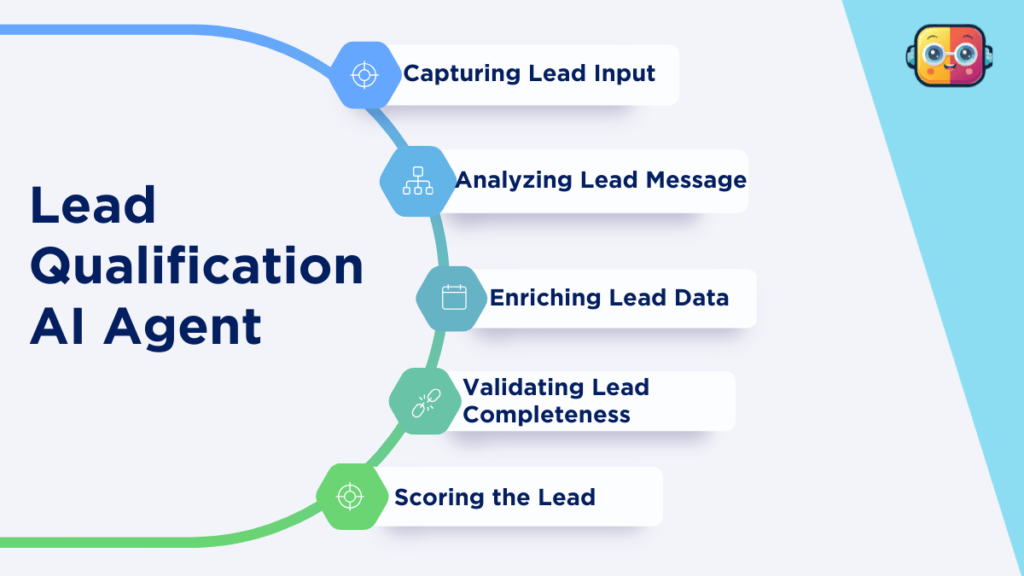
AI Lead Qualification + Scoring AI Agent
An AI agent that identifies and prioritizes high-quality sales leads to improve conversions.
Best for Best for sales and enquiries
222 views
View demo
Purpose built AI agents designed for real business tasks. They read incoming data, follow your rules, take actions across your tools, and keep every step transparent and logged.
An AI agent that identifies and prioritizes high-quality sales leads to improve conversions.
Best for Best for sales and enquiries
Generate viral hooks and high-click headlines from any idea, instantly and effortlessly.
Best for Best for creators and marketers
Automatically replies to guest post emails with clear pricing, rules, and professional responses.
Best for Best for websites and SEO
Prepares you for every external meeting before it starts. The agent looks at tomorrow's calendar, gathers what you know about each attendee and company from your CRM, past emails and their website, and sends a short brief.
Books interviews without the back and forth emails. The agent checks the interviewers' calendars, offers candidates times that work, books the slot with a video link and sends reminders to everyone.
Writes clear, inclusive job descriptions from a short brief. The agent turns the hiring manager's notes into a structured job post, separates must have from nice to have skills and checks the wording for biased or off putting language.
Keeps you updated on the news that matters to your business. The agent watches news about your topics, competitors and industry, removes duplicates and noise, and sends one short daily digest with the stories worth reading.
Lets your team ask questions about a folder of documents and get answers with page references. The agent reads your PDFs and docs, finds the parts that answer each question and replies with the exact source so anyone can check it.
Makes sure every new hire has a smooth first week. When HR adds a new joiner, the agent sends a welcome email, creates setup tasks for IT and the manager, schedules first week meetings and checks in after 30 days.
Answers everyday HR questions in Slack from your own policy documents. Employees ask about leave, expenses or holidays and get a short answer with a link to the exact policy, while sensitive topics go straight to HR.
Gives you a short morning summary of what matters in your inbox. The agent reads the last day of email, groups it into needs reply, FYI and newsletters, and lists the five things you should act on first.
Sorts Instagram and Facebook messages so no lead or complaint gets lost. The agent reads each new DM, labels it as a sales lead, support issue, collaboration request or spam, suggests a reply and sends it to the right person.
Researches a question on the web and writes a cited report. The agent searches for reliable sources, reads them, compares what they say and writes a clear summary where every claim links to its source.
An AI agent that converts raw blog ideas into structured SEO outlines and content.
Best for Best for websites and SEO
Turn sheet ideas into ready drafts—delivered to your email, automatically.
Best for Anyone with content ideas
A smart WhatsApp agent that answers customer messages instantly, collects details, and sends follow-ups so no lead is missed.
Best for Sales & Lead Generation Teams
No agents match these filters.
Try a broader word such as lead, email, invoice or report, or clear the filters.
Every agent here is a working automation, not a chatbot. Each one reads incoming data, follows rules you set, and writes the result back into the tools your team already uses, so lead follow ups, outreach replies, invoicing, reminders and reporting run without anyone copying data between tabs.
Common connections include Google Sheets, Gmail, WhatsApp, Slack, Notion, HubSpot, Airtable, calendars, web forms and APIs. Run the demo on any listing to see the exact steps and sample output before you connect a single account. Looking for software instead of workflows? Browse the AI tools directory, or get in touch for a custom build.
Every agent in this directory follows the same six stage loop. The demo on each listing walks through these stages with sample data, so you can see exactly what happens before anything is connected.
Input AI processing Decision / rules Action Output Monitoring
A trigger starts the workflow: a new row in Google Sheets, a form submission, an incoming email or WhatsApp message, or a scheduled time.
A language model reads the input and does the thinking work, such as classifying a lead, summarising a message or drafting a reply.
Your business rules decide what happens next, for example only contacting leads above a score, or routing a request to the right person.
The agent acts in your tools: it sends the email, updates the CRM, creates the invoice or posts the message.
Results land where your team already works, such as a sheet, a dashboard, a Slack channel or your inbox.
Each run is logged, so you can review what the agent did, catch errors early and adjust the rules over time.
Traditional automation follows fixed if-this-then-that steps. It is fast and reliable when the input always looks the same. An AI agent adds a reasoning step, so it can handle messy, unstructured input such as free text emails, chat messages or documents, and still decide what to do.
| Traditional automation | AI agent workflow | |
|---|---|---|
| Input | Structured data in a fixed format | Structured or unstructured: text, emails, chats, documents |
| Logic | Fixed rules written in advance | AI judgement combined with your rules |
| Handles exceptions | Stops or fails on unexpected input | Interprets the input, or flags it for a person |
| Best for | Repetitive, predictable tasks | Tasks that need reading, writing or deciding |
| Setup effort | Low for simple flows | Slightly higher: prompts, rules and testing |
Most real workflows combine both: automation moves the data, and the AI step handles the part that needs judgement. To go deeper, read our AI agent and automation guides, follow a hands-on build in the AI agent tutorials, or compare the underlying models in the AI model directory.
Start with one task that is repetitive, well understood and costs your team time every week. Then check it against these six points.
Pick a task with a clear start and finish. Simple, high volume tasks such as lead follow ups or reminders give the fastest return.
Check that the agent connects to the tools you already use, for example Google Sheets, Gmail, WhatsApp, your CRM or a web form.
Decide which steps need a person to approve them first, such as sending a message to a customer or issuing an invoice.
Know what data the agent needs to read and write, where that data lives, and whether any of it is sensitive.
Make sure you can see every run, spot failed steps and get notified when something needs attention.
Consider how the workflow behaves at ten times the volume, including API limits and the running cost per task.
Every workflow listed here is built and checked by the SimplifyAITools team before it is published.
Quick answers about how these AI agents work, what you need to get started, and what happens after setup.


