15 Best AI Apps in 2026: Free and Paid Tools Worth Using Daily
Looking for the best AI apps in 2026? Here are 15 free and paid AI tools for writing, research, design, video, coding, automation, voice, presentations and daily productivity...

A few years ago, most people were using one or two AI tools for writing emails, summarising documents or generating ideas. Now, almost every serious productivity app has some AI feature built into it.
You can use AI to write content, edit videos, create presentations, generate voiceovers, design social media posts, code apps, research topics, automate workflows and manage daily tasks.
But that creates a new problem: there are too many AI apps.
Some AI apps are genuinely useful and become part of your daily routine. Others are just simple LLM wrappers with a new interface. And some tools look exciting at first, but after one or two uses, they never really fit into your actual workflow.
So this guide focuses on the best AI apps in 2026 that are useful for real work, not just trendy screenshots.
Pricing, features and limits may change over time, so always check the official website before choosing a paid plan. Many AI platforms now use credits, usage limits or region-based pricing, especially for video, voice and automation tools.
What Are the Best AI Apps in 2026?
The best AI apps in 2026 depend on your use case. For everyday productivity, ChatGPT, Claude and Gemini are reliable all-round AI assistants. If you need quick research with sources, Perplexity is a useful choice. Canva AI works well for simple design tasks, while Gamma helps create presentations faster. For video, audio and voice-based content, tools like Descript, Runway and ElevenLabs can save a lot of editing and production time. Developers may prefer Cursor, v0 or Lovable, while marketers and operations teams can use HubSpot or Zapier for AI automation.
What Is an AI App?
An AI app is a software tool that uses artificial intelligence to help users complete tasks faster, better or with less manual effort.
In simple words, AI apps can understand instructions, generate content, analyse information, create media, automate workflows and support decision-making.
Some AI apps are full AI assistants, such as ChatGPT, Claude and Gemini. Others are normal tools with AI features added inside them, such as Canva, Notion, Grammarly, Descript or Zapier.
In 2026, AI apps are no longer only for tech experts. Students, creators, freelancers, marketers, developers, business owners and working professionals are using them every day.
How I Chose These AI Apps?
I would not recommend an AI app just because it is popular.
For this list, each tool has been evaluated based on practical value, ease of use, free or paid access, output quality, real-world use cases and how likely it is to stay useful beyond the first week.
- Does the app solve a real problem?
- Is it easy enough for beginners?
- Does it save meaningful time?
- Is the output useful without heavy editing?
- Does it have a free plan or reasonable paid option?
- Is it suitable for daily or weekly work?
- Does it keep improving in 2026?
- Are the limitations clear?
This is important because many AI tools look impressive in demos but become difficult, expensive or unreliable in daily use.
15 Best AI Apps and Tools in 2026
Here are the best AI apps in 2026:
- ChatGPT
- Claude
- Simplify AI Tools
- Perplexity
- Canva AI
- Notion AI
- Grammarly
- Gamma
- Descript
- ElevenLabs
- Runway
- Cursor
- Lovable
- HubSpot
- Zapier
Now let us go through each one.
1. ChatGPT
| Best for | Everyday AI assistance, writing, brainstorming, coding, research and productivity |
| Pricing awareness | Free and paid plans are available |
| Good for | Students, creators, business owners, developers and professionals |
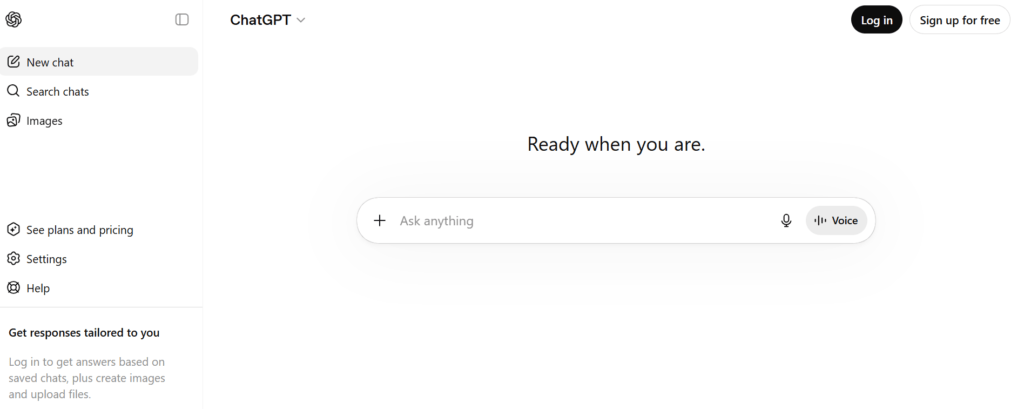
ChatGPT is one of the most useful all-round AI apps in 2026. You can use it for writing emails, creating blog outlines, summarising documents, generating ideas, debugging code, planning content, analysing data and learning new topics.
The biggest advantage of ChatGPT is flexibility. You can use it for simple personal tasks or more advanced professional work.
For example, a blogger can use ChatGPT to create content briefs, FAQs and meta descriptions. A developer can use it to understand errors or write code snippets. A student can use it to simplify difficult concepts.
Official source to verify before publishing: OpenAI ChatGPT pricing
What I like about ChatGPT?
- Very useful for everyday tasks
- Strong for writing, coding and idea generation
- Easy for beginners
- Supports file-based and multimodal workflows depending on plan
- Works across many use cases
Limitations of ChatGPT
- Free plan limits can be restrictive
- Output still needs human review
- It can make mistakes if prompts are vague
- Paid plans may be required for heavy usage
2. Claude
| Best for | Long-form writing, document analysis, research and thoughtful answers |
| Pricing awareness | Free plan available; Pro and Max plans available |
| Good for | Writers, researchers, marketers, founders and professionals |
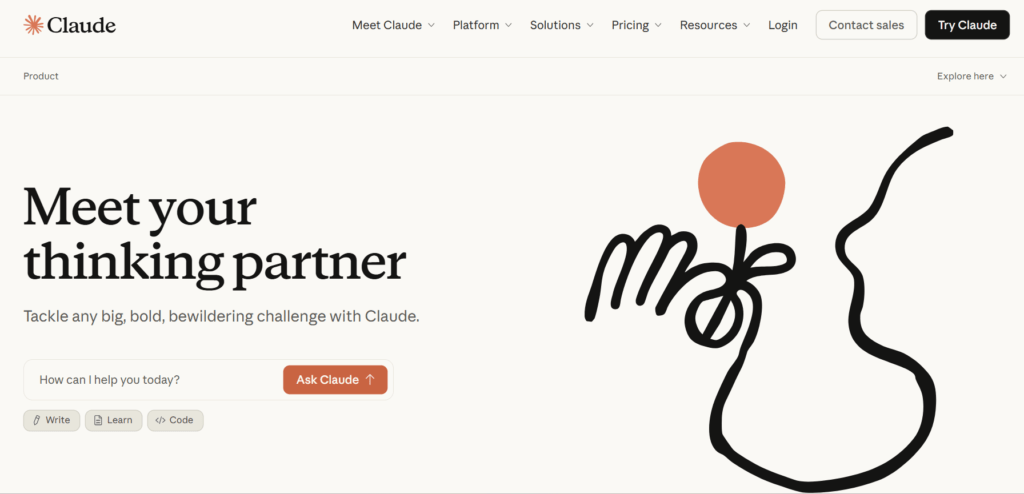
Claude is another powerful AI assistant, especially useful when you want clean writing, careful reasoning and long-context work.
It is particularly strong for editing, summarising, rewriting and analysing large documents. If you work with reports, proposals, scripts, policies, research notes or long articles, Claude can be very helpful.
Official source to verify before publishing: Anthropic pricing
What I like about Claude
- Excellent for long-form content
- Good writing tone
- Useful for document analysis
- Strong for summarisation
- Helpful for professional workflows
Limitations of Claude
- Usage limits can still apply
- Not ideal for native image generation
- Some advanced features may require paid plans
- Output should still be fact-checked
3. Simplify AI Tools
| Best for | Discovering, exploring and comparing AI tools across different categories |
| Pricing awareness | Free to browse; pricing depends on the individual AI tools listed on the platform |
| Good for | Students, creators, marketers, freelancers, business owners and AI enthusiasts |

Simplify AI Tools is useful if you want to discover AI tools for different use cases in one place. Instead of visiting multiple websites one by one, users can explore tools across categories such as writing, design, video, coding, marketing, productivity and automation.
The platform is especially helpful for people who want to compare options quickly and find tools that match their needs, budget and workflow. Whether someone is looking for a free AI writing tool, a video editing platform, an AI image generator or a productivity app, Simplify AI Tools makes the discovery process easier.
In 2026, Simplify AI Tools matters because users are overwhelmed by the number of AI apps available in the market. A curated platform that helps people find relevant tools faster can save time and reduce confusion.
Official source to verify before publishing: Simplify AI Tools website and AI tools directory
What I like about Simplify AI Tools
- Useful for discovering AI tools in one place
- Helps users explore tools by category and use case
- Good for beginners who do not know where to start
- Saves time by reducing tool research effort
- Helpful for finding both free and paid AI tools
Limitations of Simplify AI Tools
- It is a discovery platform, not a single all-in-one AI tool
- Features and pricing depend on third-party tools listed on the site
- Users still need to compare tools before choosing one
- Some tools may change pricing, features or availability over time
4. Perplexity
| Best for | AI-powered research and sourced answers |
| Pricing awareness | Free and paid plans available |
| Good for | Researchers, writers, students, SEO teams and professionals |

Perplexity is one of the best AI apps in 2026 for research. Instead of only giving a generated answer, it usually provides sources so you can check where the information came from.
This is useful for blog research, market research, statistics, competitor analysis, academic learning and trend discovery.
Official source to verify before publishing: Perplexity pricing
What I like about Perplexity
- Great for research
- Provides sources
- Useful for content planning
- Better than normal search for exploratory queries
- Helpful for trend discovery
Limitations of Perplexity
- Sources still need manual checking
- Not every cited source is equally authoritative
- Some advanced features require paid access
- Can still present outdated information if not checked
5. Canva AI
| Best for | AI design, social media posts, presentations and marketing visuals |
| Pricing awareness | Free and paid plans available |
| Good for | Creators, small businesses, marketers, bloggers and students |

Canva AI is one of the most beginner-friendly AI apps for design. You can create social media posts, blog graphics, presentations, ads, thumbnails, posters, resumes and short videos without needing advanced design skills.
For bloggers and small businesses, Canva AI is useful because it helps create consistent visual content quickly.
What I like about Canva AI
- Easy for non-designers
- Good templates
- Useful AI design features
- Great for social media content
- Helpful for blog featured images
Limitations of Canva AI
- Designs can look generic if not customised
- Premium assets require paid access
- AI outputs still need human editing
- Brand consistency requires manual attention
6. Notion AI
| Best for | Notes, project management, documentation and workspace productivity |
| Pricing awareness | Free workspace options exist; AI features depend on plan and credits |
| Good for | Teams, students, founders, agencies and knowledge workers |

Notion AI is useful when your notes, documents and projects are already inside Notion. You can use it to summarise meeting notes, create task lists, draft documents, organise ideas and search through workspace content.
In 2026, Notion AI is especially useful for people who want fewer separate tools and more work inside one workspace.
Official source to verify before publishing: Notion pricing
What I like about Notion AI
- Good for organising information
- Useful for meeting notes and project docs
- Helpful for teams
- Reduces scattered documents
- Works well for internal knowledge bases
Limitations of Notion AI
- Best value comes if you already use Notion
- AI access may depend on plan or credits
- Not ideal for advanced design or coding
- Teams need clean workspace structure
7. Grammarly
| Best for | Grammar checking, rewriting, tone improvement and professional writing |
| Pricing awareness | Free and paid plans available |
| Good for | Writers, students, professionals and teams |

Grammarly remains useful in 2026 because people still need clean, professional writing across emails, documents, social posts and business communication.
It helps with grammar, spelling, tone, clarity and rewriting. This makes it useful even if you already use ChatGPT or Claude because Grammarly works directly where you write.
Official source to verify before publishing: Grammarly plans
What I like about Grammarly
- Works across many writing platforms
- Good for grammar and tone
- Useful for professional emails
- Helps non-native English writers
- Simple and fast to use
Limitations of Grammarly
- Suggestions are not always perfect
- Can make writing too polished or generic
- Advanced features need paid access
- Human judgement is still required
8. Gamma
| Best for | AI presentations, pitch decks, proposals and visual documents |
| Pricing awareness | Free and paid plans available |
| Good for | Founders, students, consultants, marketers and sales teams |

Gamma is a strong AI app for creating presentations and documents quickly. Instead of starting from blank slides, you can describe the topic and generate a structured deck or document.
This is useful for pitch decks, proposal documents, reports, training material and social media carousels.
Official source to verify before publishing: Gamma pricing
What I like about Gamma
- Creates structured presentations quickly
- Useful for pitch decks
- Good design starting point
- Saves time on formatting
- Can export in common formats
Limitations of Gamma
- AI-generated slides need editing
- Designs may need brand customisation
- Not as flexible as PowerPoint or Figma for detailed design
- Heavy users may need a paid plan
9. Descript
| Best for | AI video editing, podcast editing and transcription |
| Pricing awareness | Free and paid plans available |
| Good for | YouTubers, podcasters, educators, marketers and creators |

Descript is useful because it lets you edit audio and video by editing text. This makes video editing much easier for people who do not want to work with complex timelines.
You can remove filler words, clean audio, generate transcripts, edit podcasts and create clips. It is especially useful for long-form video and podcast content.
Official source to verify before publishing: Descript pricing
What I like about Descript
- Text-based editing is very convenient
- Great for podcasts and interviews
- Saves time on filler word removal
- Useful for content repurposing
- Good for creators and teams
Limitations of Descript
- Large projects can still take time
- AI credits may run out
- Free plan is mainly for testing
- Final edits still need review
10. ElevenLabs
| Best for | AI voice generation, voiceovers, dubbing and speech tools |
| Pricing awareness | Free and paid plans available |
| Good for | Creators, video editors, podcasters, educators and product teams |

ElevenLabs is one of the most popular AI voice tools. You can use it to create voiceovers, narration, dubbing, sound effects and conversational voice experiences.
It is helpful for YouTube videos, reels, explainer videos, audiobooks, product demos and e-learning content.
Official source to verify before publishing: ElevenLabs pricing
What I like about ElevenLabs
- High-quality voice output
- Useful for creators and educators
- Supports multiple voice workflows
- Good for video narration
- Helpful for product voice features
Limitations of ElevenLabs
- Voice cloning should be used ethically
- Commercial rights may depend on plan
- Heavy usage can become expensive
- Audio still needs review for pronunciation
11. Runway
| Best for | AI video generation and creative video workflows |
| Pricing awareness | Free and paid plans available |
| Good for | Filmmakers, creators, marketers, agencies and video teams |

Runway is a powerful AI app for video generation and creative editing. It is useful when you want to create visual concepts, short AI clips, product visuals or experimental video content.
In 2026, AI video is growing fast, but it is also one of the most expensive AI categories because video generation requires heavy computing.
Official source to verify before publishing: Runway pricing
What I like about Runway
- Strong for AI video generation
- Useful for creative experiments
- Good for visual storytelling
- Helps create marketing visuals
- Suitable for agencies and creators
Limitations of Runway
- Video credits can finish quickly
- Output may not always be consistent
- Not ideal for every business use case
- Requires creative direction and editing
12. Cursor
| Best for | AI coding and software development |
| Pricing awareness | Free and paid plans available |
| Good for | Developers, founders, startups and technical teams |

Cursor is an AI-powered code editor built for developers who want to write, edit and understand code faster.
It is useful for building apps, fixing bugs, refactoring files, understanding codebases and generating frontend or backend code.
Official source to verify before publishing: Cursor pricing
What I like about Cursor
- Built for coding workflows
- Useful for debugging
- Helps understand large codebases
- Good for frontend and backend tasks
- Works well for developers already familiar with code editors
Limitations of Cursor
- Not beginner-friendly for non-coders
- AI-generated code needs testing
- Usage can become expensive
- You still need technical judgement
13. Lovable
| Best for | Building web apps and prototypes using prompts |
| Pricing awareness | Free and paid plans available |
| Good for | Startup founders, product managers, designers and no-code builders |

Lovable helps users build apps and websites by describing what they want in natural language. It is useful for creating MVPs, internal tools, landing pages and simple web apps.
In 2026, tools like Lovable are popular because founders want to test ideas quickly before hiring a full development team.
Official source to verify before publishing: Lovable cost FAQ
What I like about Lovable
- Good for fast prototypes
- Useful for non-technical founders
- Can create working app drafts
- Helps validate ideas quickly
- Useful for MVP experiments
Limitations of Lovable
14. HubSpot
| Best for | CRM, marketing automation and customer operations |
| Pricing awareness | Free and paid plans available |
| Good for | Marketing teams, sales teams, service teams and small businesses |

HubSpot is an AI-powered CRM and customer platform that helps businesses manage contacts, marketing campaigns, sales pipelines, customer support and content workflows in one place.
It is useful for lead management, email marketing, CRM automation, sales follow-ups, customer service, reporting and AI-assisted business operations.
Official source to verify before publishing: HubSpot CRM pricing
What I like about HubSpot
- Strong for CRM and customer data management
- Useful for marketing, sales and service teams
- Can reduce manual follow-ups and repetitive CRM tasks
- Good free tools for small teams and startups
- Helpful ecosystem with integrations, templates and learning resources
Limitations of HubSpot
- Advanced automation can become expensive
- Some features depend on plan, seats and usage limits
- New users may need time to set up clean CRM pipelines
- Small teams should avoid paying for features they do not use
15. Zapier
| Best for | Connecting apps and automating workflows |
| Pricing awareness | Free and paid plans available |
| Good for | Small businesses, marketers, operations teams and SaaS users |

Zapier is one of the most established automation platforms. In 2026, it has moved strongly into AI workflows, agents, chatbots and automation across thousands of apps.
It is useful when you want your apps to talk to each other without writing code. For example, you can connect forms, spreadsheets, CRMs, emails, Slack and AI tools into one workflow.
What I like about Zapier
- Huge app integration library
- Good for business automation
- Beginner-friendly
- Useful for repetitive tasks
- Strong ecosystem
Limitations of Zapier
Best AI Apps in 2026: Quick Comparison Table
| AI App | Best For | Free Plan | Main Limitation |
| ChatGPT | General AI assistant | Yes | Needs fact-checking |
| Claude | Writing and documents | Yes | Usage limits |
| Simplify AI Tools | Simplify AI Tools | Yes | Third-party pricing varies |
| Perplexity | Research | Yes | Sources need checking |
| Canva AI | Design | Yes | Can look generic |
| Notion AI | Workspace productivity | Limited | Best inside Notion |
| Grammarly | Writing improvement | Yes | Can over-polish |
| Gamma | Presentations | Yes | Needs editing |
| Descript | Video and podcast editing | Yes | Credit limits |
| ElevenLabs | AI voice | Yes | Usage can get costly |
| Runway | AI video | Yes | Credits run fast |
| Cursor | AI coding | Yes | Not for non-coders |
| Lovable | App building | Yes | Needs technical review |
| HubSpot | CRM and marketing automation | Yes | Paid tiers can be costly |
| Zapier | App automation | Yes | Task limits |
Which AI App Should You Choose?
The best AI app depends on what you actually want to do.
For general productivity, ChatGPT and Claude are good starting points for writing, planning, brainstorming and daily support.
Research-heavy tasks are easier with Perplexity because it helps you find sourced answers quickly.
If you need social media posts or simple designs, Canva AI is one of the easiest tools to start with.
When you want to create presentations faster, Gamma can help you turn ideas into clean visual decks.
Video editing becomes simpler with Descript, especially if you work with podcasts, interviews or long-form content.
Voiceovers are easier to create with ElevenLabs, which is useful for videos, courses and narration.
Creators and agencies working on AI video generation may find Runway more suitable.
Developers can use Cursor to write, edit, understand and debug code faster.
If you want to build quick web apps or MVPs, Lovable can help you move from idea to prototype faster.
What Is the Best Free AI App in 2026?
The best free AI app in 2026 depends on your goal.
For general use, ChatGPT, Claude and Gemini are good starting points because they cover writing, learning, brainstorming and productivity.
For research, Perplexity is a strong choice because it gives sourced answers that are easier to verify.
Canva AI works well for design, especially for beginners who want to create quick visuals without advanced design skills.
When it comes to automation, HubSpot and Zapier both offer useful free access, but it is important to check usage limits before relying on them for regular workflows.
The honest answer is simple: the best free AI app is the one you actually keep using after the first week.
Pros and Cons of Using AI Apps in 2026
Pros
- Saves time on repetitive tasks
- Helps beginners create better output
- Speeds up writing, research and design
- Makes coding and prototyping faster
- Helps small teams do more with fewer tools
- Useful for content creation and automation
- Can improve productivity across daily work
Cons
- AI can make factual mistakes
- Pricing and usage limits change often
- Free plans may be restrictive
- Outputs can feel generic
- Some tools require editing and review
- Privacy and data handling must be checked
- Too many tools can create workflow confusion
Common Mistakes to Avoid
Using Too Many AI Apps at Once
Do not sign up for every tool you see. Start with two or three tools that solve your main problem.
Trusting AI Output Without Review
AI apps can be useful, but they are not perfect. Always review facts, numbers, legal claims, pricing and technical output.
Ignoring Pricing Limits
Many AI apps use credits, tokens, monthly limits or fair usage policies. Check the pricing page before using a tool for business work.
Publishing Generic AI Content
If you use AI for blogs or social media, add your own examples, screenshots, opinions, edits and experience. Generic content will not build trust.
Forgetting Data Privacy
Do not upload confidential documents, client data, financial records or private business information unless you understand the platform’s privacy policy.
Are AI Apps Worth Using in 2026?
Yes, AI apps are worth using in 2026 if you choose them based on real workflow value.
They are especially useful for creators, students, freelancers, marketers, developers, founders, agencies and small businesses.
But they are not magic.
AI apps work best when you use them as assistants, not replacements for human judgement. The smartest approach is to let AI handle drafts, ideas, summaries, first versions and repetitive tasks, while you handle strategy, accuracy, brand voice and final decisions.
Conclusion
The best AI apps in 2026 are not just the most popular ones. They are the tools that save time, improve quality and become part of your real workflow.
If you are new to AI tools, start with ChatGPT or Claude for everyday tasks such as writing, planning and brainstorming. For research, Perplexity is a strong choice, while Canva AI works well for design and Gamma is useful for creating presentations. If your work involves video or audio, Descript, Runway and ElevenLabs are worth trying. For software development, app prototyping and business automation, tools like Cursor, Lovable, HubSpot and Zapier can help you work faster and more efficiently.
AI tools will keep changing in 2026, so focus on usefulness, reliability, pricing and how well each app fits your daily work.
FAQs
The best AI apps in 2026 include ChatGPT, Claude, Gemini, Perplexity, Canva AI, Notion AI, Grammarly, Gamma, Descript, ElevenLabs, Runway, Cursor, Lovable, HubSpot and Zapier.
Canva AI, ChatGPT and Grammarly are good for beginners because they are simple, practical and useful without technical knowledge.
ChatGPT, Claude, Gemini, Perplexity and Canva AI are strong free AI apps, depending on whether you need writing, research, learning or design help.
Canva AI, Descript, ElevenLabs, Runway and Gamma are useful for content creators because they support design, video, audio and presentation workflows.
Cursor is a strong AI app for coding. Developers may also use ChatGPT, Claude, Gemini, v0 or Lovable depending on the project.
Paid AI apps are worth it if they save time, improve output quality or support regular business work. For casual use, free plans may be enough.

Disclaimer: Views are the author’s own. Content is informational only.
Was this article helpful?
A quick vote helps us improve the guides readers find most useful.
Join the discussion
Share your experience, ask a question, or add something useful for other readers.