Google NotebookLM Review 2026: Features, Use Cases and How to Use It
Explore this Google NotebookLM review 2026 with features, Audio Overview, Video Overview, pricing, use cases, pros, cons and how to use it for study, research and content creation...
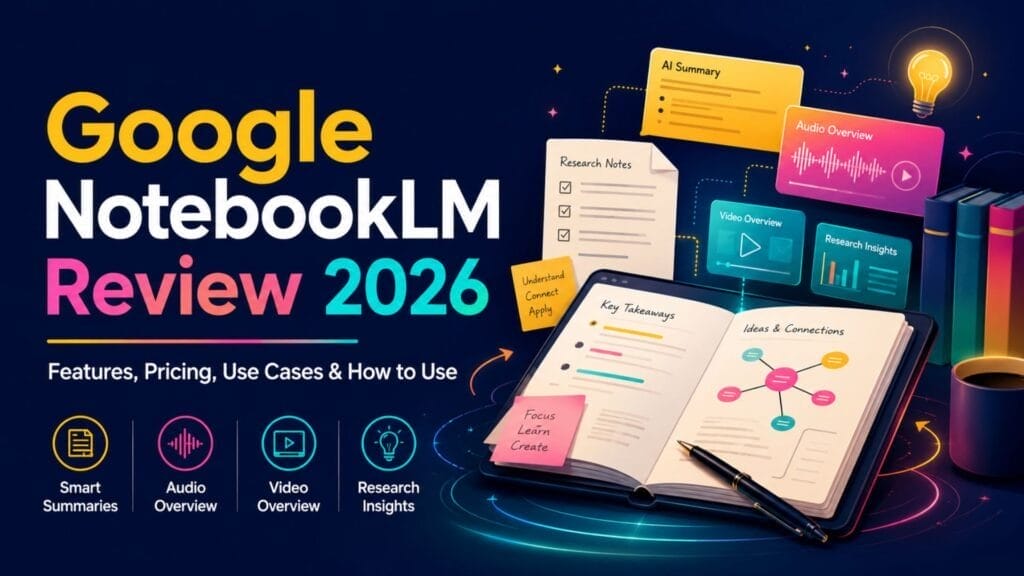
AI tools are everywhere now, but not every tool actually helps you think better. Some tools help with writing, others summaries complex information, and some create images from simple prompts. But when it comes to studying, researching, understanding long documents and turning scattered information into clear notes, Google NotebookLM stands out. This guide from Simplify AI Tools explains how Google NotebookLM works, where it helps, where it falls short and how to use it properly in 2026.
Google NotebookLM is not just another chatbot. It works more like an AI research assistant that uses your own uploaded sources to answer questions, explain topics, create study material and convert complex content into simple summaries. Google describes NotebookLM as an AI research tool and thinking partner that can analyse your sources and turn complexity into clarity.
In this detailed Google NotebookLM review 2026, we will explore what NotebookLM is, how it works, its best features, how students and creators can use it, its pros and cons, and whether it is worth using in 2026.
What is Google NotebookLM?
Google NotebookLM is an AI-powered research and note-taking tool from Google. It helps users understand, organise and interact with their own study material, documents, PDFs, websites, notes and other sources. The biggest difference between NotebookLM and a normal chatbot is source grounding. Instead of giving general answers from the open web, NotebookLM focuses on the sources you add to a notebook.
This makes it useful for people who do not want random AI answers. Students can upload class notes. Researchers can upload papers. Content creators can add references. Business users can upload reports. After that, they can ask questions, generate summaries, create study guides or convert information into different formats.
Think of it like this: instead of reading ten long documents manually, you give those documents to NotebookLM and ask it to explain the main points, compare ideas, create a briefing document or help you prepare for an exam.
That does not mean NotebookLM replaces reading completely. It still needs human checking. But it can reduce the time spent on first-level understanding and help you decide which parts of a source deserve deeper reading.
How Does Google NotebookLM Work?
Google NotebookLM works by creating a notebook around your selected sources. You can add documents, PDFs, website links and other supported materials. Once the sources are added, NotebookLM uses them as the base for its responses.
This source-based approach is important because it reduces the risk of irrelevant answers. If you ask NotebookLM a question about your uploaded research paper, it tries to answer using that research paper. If you ask it to summarise your uploaded notes, it focuses on those notes.
A typical workflow looks like this:
- Create a new notebook
- Add your sources
- Ask questions about the sources
- Generate summaries or study material
- Create Audio Overviews, Video Overviews or briefing-style content
- Save useful outputs for revision or content planning
The tool is especially helpful when you are dealing with long or dense information. Instead of copying and pasting text again and again, you build one notebook and keep asking questions from the same material. This is why NotebookLM can be a useful addition to your broader AI productivity workflow.
Key Features of Google NotebookLM
Google NotebookLM has become popular because it offers more than simple summarisation. It now includes features for research, learning, content transformation and multimedia summaries.
1. Source-Based Answers
The most useful feature of Google NotebookLM is that it answers based on your uploaded sources. This is helpful for students, researchers and professionals because they can verify where the answer came from.
For example, if you upload a PDF report and ask, “What are the three main challenges mentioned in this report?”, NotebookLM can respond using that report instead of giving a broad answer from general knowledge. This makes the tool more trustworthy than a general chatbot for document-based work.
2. Summaries and Briefing Documents
NotebookLM can summarise long documents into shorter, easier-to-understand notes. This is useful when you have to read long PDFs, academic papers, policy documents, business reports or meeting notes.
A good use case is exam preparation. Instead of reading a forty-page PDF again and again, a student can upload it and ask NotebookLM to create a chapter summary, important points and possible questions. For business users, it can turn long reports into briefing documents. For content creators, it can convert research material into a structured outline.
3. Audio Overview
Audio Overview is one of the most popular features of Google NotebookLM. It can turn your sources into an audio-style discussion, which is helpful for people who learn better by listening.
For example, a student can upload study material and generate an audio discussion to listen to while travelling. A researcher can turn notes into a conversational explanation. A busy professional can listen to a report summary instead of reading every page. However, Audio Overview should not be treated as a perfect replacement for the original source. It is better for revision, overview and quick understanding.
4. Video Overview
Video Overview is another useful feature for visual learners. It can turn source material into a video-style explanation, helping users understand complex ideas in a more digestible format.
This is valuable for students, teachers and creators. Students can revise difficult topics visually. Teachers can prepare classroom explanations. Content creators can understand a topic before writing a blog or recording a video.
5. Discover Sources
Discover Sources can help users find relevant sources for a topic and add selected material to a notebook. This is useful when you are starting research from zero. Instead of manually opening many tabs and searching for references, you can collect a starting set of sources and then work from them.
For bloggers and students, this saves time. But you should still check the quality of sources before relying on them. A source-based tool is only as strong as the sources you give it.
6. Study and Learning Support
Google NotebookLM is also useful as a study assistant. It can help create summaries, explanations, study questions, flashcards and learning material from your sources. This makes it practical for exam preparation, classroom revision and topic understanding.
Google NotebookLM for Students
Students are one of the biggest user groups for Google NotebookLM. The reason is simple: students deal with too much information. They have class notes, PDFs, assignments, lecture slides, research papers and exam material. Reading everything manually takes time. NotebookLM helps students understand and revise faster.
Students can use it to:
- Summarise lecture notes
- Create exam revision points
- Generate flashcards
- Understand difficult concepts
- Convert PDFs into simple explanations
- Ask questions from uploaded study material
- Create Audio Overviews for listening-based revision
- Prepare for presentations
One of the best ways students can use NotebookLM is by creating a notebook for each subject. For example, one notebook for economics, another for artificial intelligence, another for law and another for research methodology. This keeps study material organised and makes revision easier.
Actionable student workflow: upload chapter notes, ask for a simple explanation, generate key points, ask for possible exam questions, create flashcards, generate an Audio Overview and then review the original source before final exam preparation.
Google NotebookLM for Research Papers
Google NotebookLM is very useful for research paper reading. Many students and researchers struggle with long academic papers because they are dense, technical and time-consuming. NotebookLM can help by breaking down the paper into simpler parts.
Researchers can ask questions such as:
- What is the main argument of this paper?
- What methodology is used?
- What are the key findings?
- What are the limitations?
- What are the future research directions?
- How does this paper compare with another uploaded source?
This is useful during literature review. Instead of keeping notes in separate files, researchers can create one notebook around a topic and upload multiple papers. For example, if someone is researching “AI in education”, they can upload ten papers and ask NotebookLM to compare themes, identify common gaps and summarise each paper.
However, researchers must be careful. NotebookLM can help with understanding, but it should not replace original reading. Academic writing still needs proper citation, careful interpretation and human judgement.
Google NotebookLM for Content Creators
Content creators can also benefit from Google NotebookLM, especially if they create blogs, YouTube videos, newsletters, podcasts or social media content. If you are building content around AI, you can also explore the AI tools directory on Simplify AI Tools to find more tools for writing, research, video, audio and design.
A content creator can upload research articles, competitor content, reports, brand documents, previous blog drafts, YouTube scripts and product information. Then they can ask NotebookLM to create outlines, summaries, content angles, talking points or FAQs.
Then they can ask:
- What are the main features?
- What are the benefits for beginners?
- What are the limitations?
- What FAQs should be included?
- What points are missing in competitor articles?
This helps create more useful content. It also reduces the chance of missing important information. YouTubers can use NotebookLM to prepare scripts from research sources. Newsletter writers can summarise weekly reports, while podcasters can create talking points from uploaded sources.
Google NotebookLM for Teachers
Teachers can use Google NotebookLM to prepare lessons, explain topics and create learning material. A teacher can upload textbook chapters, lesson notes, curriculum documents, research papers and student handouts.
NotebookLM can then help create lesson summaries, quiz questions, class discussion points, student-friendly explanations, revision notes, audio-style summaries and presentation preparation notes.
This can save time, especially for teachers who handle multiple classes. But teachers should always review the output before using it in class. AI can assist lesson planning, but human teaching judgement is still important.
Google NotebookLM for Business Users
Business users can use Google NotebookLM for reports, meeting notes, strategy documents and client research. It is especially useful when a team has to understand many documents quickly.
Common business use cases include summarising long reports, preparing meeting briefs, analysing internal documents, understanding customer feedback, creating project notes, reviewing policy documents, preparing client presentations and comparing multiple sources.
For example, a business team can upload market research reports and ask NotebookLM to summarise key trends. A sales team can upload client documents and prepare briefing notes. A founder can upload investor feedback and create action points. This makes NotebookLM useful beyond education. It can become a productivity tool for people who work with information-heavy documents.
Google NotebookLM vs ChatGPT
Many people compare Google NotebookLM with ChatGPT, but both tools have different strengths. ChatGPT is better for general brainstorming, writing, coding help, creative ideas and open-ended conversation. NotebookLM is better when you want answers based on your own uploaded sources.
If you want to write a blog from scratch, ChatGPT may be more flexible. But if you want to understand five uploaded PDFs and ask questions from them, NotebookLM is more focused. The smart approach is to use both. Use NotebookLM for source-based understanding and ChatGPT for writing, rewriting, ideation and content improvement.
| Feature | Google NotebookLM | ChatGPT |
| Best for | Source-based research | General AI assistance |
| Main strength | Works with uploaded sources | Broad conversation and creation |
| Good for students | Yes | Yes |
| Good for research papers | Very useful | Useful with uploaded files |
| Audio summaries | Strong feature | Depends on available features |
| Video summaries | Available in NotebookLM | Not the main use case |
| Best use | Study, research and notes | Writing, coding and brainstorming |
Is Google NotebookLM Free?
Google NotebookLM has a free version, but Google also offers NotebookLM plans for users who need more capacity. For most beginners, the free version is enough to test the tool. Students, creators and casual researchers can start with the free version and upgrade only if they need higher limits.
Before choosing a paid option, ask yourself:
- How often will I use NotebookLM?
- Do I need many notebooks?
- Do I upload large numbers of sources?
- Do I need more Audio or Video Overview capacity?
- Is this for personal use, study or business?
How to Use Google NotebookLM: Beginner Workflow?
Step 1: Choose One Clear Topic
Do not create a notebook with random files. Start with one topic. Examples include AI tools for students, Indian Constitution notes, research paper literature review, marketing strategy report or client project documents. A focused notebook gives better results.
Step 2: Add Quality Sources
Upload useful and relevant sources. These can include PDFs, notes, articles, documents or supported links. Avoid adding low-quality or unrelated sources because NotebookLM will use those sources while answering.
Step 3: Ask Direct Questions
Instead of asking vague questions, ask specific ones. “What is this about?” is weak. “Summarise the main argument of this document in seven bullet points” is much better. “Explain this chapter in simple language for a beginner” is also more useful.
Step 4: Generate Study or Work Outputs
Once your sources are ready, ask for useful formats such as summaries, FAQs, briefing documents, timelines, study guides, flashcards, key points, pros and cons or comparisons.
Step 5: Use Audio or Video Overview
If you prefer listening, generate an Audio Overview. If you prefer visual learning, use Video Overview where available. These formats make revision and topic understanding easier.
Step 6: Verify Important Details
Always check important facts with the original sources. NotebookLM provides source-based support, but final responsibility remains with the user.
Best Use Cases of Google NotebookLM in 2026
Here are the most practical use cases of Google NotebookLM in 2026.
- Studying faster: Students can use it to summarise chapters, create revision notes and generate flashcards.
- Understanding research papers: Researchers can use it to extract key findings, methods, gaps and limitations.
- Creating content outlines: Bloggers and YouTubers can use it to convert research material into structured outlines.
- Preparing presentations: Users can upload source material and ask NotebookLM to create presentation points.
- Listening to notes: Audio Overview helps users listen to source summaries while travelling or revising.
- Explaining complex topics: NotebookLM can simplify dense documents into beginner-friendly explanations.
- Comparing documents: Users can upload multiple sources and ask for similarities, differences and key themes.
- Business briefing: Teams can use it to summarise reports, meeting notes and client documents.
Pros and Cons of Google NotebookLM
| Pros | Cons |
| Useful for source-based research | Still needs human checking |
| Helps students understand difficult topics | Output quality depends on source quality |
| Can summarise long documents | Not ideal for unrelated general questions |
| Provides source-focused answers for verification | Some features may have usage limits |
| Supports Audio Overview | Users may become overdependent on summaries |
| Supports Video Overview | Not every generated explanation will be perfect |
| Helpful for researchers, teachers and creators | Some advanced features may depend on plan availability |
| Reduces time spent on first-level reading | Source selection still requires human judgement |
| Good for organising topic-based notebooks | Original reading is still important |
Common Mistakes to Avoid While Using Google NotebookLM
Mistake 1: Uploading Too Many Unrelated Sources
If you upload random sources into one notebook, the output may become confusing. Keep each notebook focused on one topic.
Mistake 2: Asking Vague Questions
NotebookLM works better with specific questions. Ask for summaries, comparisons, examples, timelines or exam questions.
Mistake 3: Not Checking Original Sources
Even source-based AI needs verification. Always check important claims before using them in academic, legal, medical or business contexts.
Mistake 4: Using It Only for Summaries
NotebookLM can do more than summarise. Use it for FAQs, flashcards, briefing notes, outlines and comparisons.
Mistake 5: Ignoring Human Understanding
Do not let AI replace your thinking. Use it to understand faster, then apply your own judgement.
Is Google NotebookLM Worth Using in 2026?
Yes, Google NotebookLM is worth using in 2026, especially for students, researchers, teachers, content creators and professionals who work with large amounts of information. If you also want to compare it with other best AI tools, you can explore the tool directory on Simplify AI Tools.
Its biggest strength is source-based understanding. It helps you ask questions from your own material, generate summaries, create learning outputs and transform information into audio or video formats.
It is not perfect, and it should not replace original reading. But it can make the first stage of research and learning much faster. If you often deal with PDFs, reports, study notes, research papers or long documents, NotebookLM can become one of the most useful AI tools in your workflow.
Final Verdict
Google NotebookLM is one of the most practical AI research tools in 2026. It helps users understand their own sources, create summaries, generate Audio and Video Overviews, and study or research faster. Use it as a thinking partner, but always verify important details manually. For more guides, visit AI tool reviews on Simplify AI Tools.
FAQs About Google NotebookLM
Google NotebookLM is an AI-powered research and note-taking tool by Google. It helps users upload sources, ask questions, generate summaries, create study material and understand complex information. It is useful for students, researchers, teachers, content creators and professionals who work with long documents.
Yes, Google NotebookLM has a free version that users can start with. Google also offers NotebookLM plans for users who need higher limits or more advanced capacity. Beginners should start free and upgrade only if they use it regularly for study, research or work.
Google NotebookLM works by using the sources you add to a notebook. You can upload or add documents, PDFs and other supported sources, then ask questions from that material. NotebookLM uses those sources to generate answers, summaries, study guides and other useful outputs.
NotebookLM Audio Overview turns your uploaded sources into an audio-style discussion. It is useful for revision, listening-based learning and understanding long material in a more conversational format. Students and professionals can use it to listen to summaries while travelling or reviewing notes.
Yes, Google NotebookLM is very useful for students. They can upload lecture notes, PDFs and study material, then generate summaries, flashcards, exam questions and Audio Overviews. It helps reduce revision time and makes difficult topics easier to understand.
Google NotebookLM is better for source-based research because it focuses on uploaded materials. ChatGPT is better for general writing, brainstorming, coding and open-ended tasks. The best approach is to use NotebookLM for understanding sources and ChatGPT for writing or creative improvement.

Disclaimer: Views are the author’s own. Content is informational only.
Was this article helpful?
A quick vote helps us improve the guides readers find most useful.
Join the discussion
Share your experience, ask a question, or add something useful for other readers.