Google Cloud in 2026: Free Credits, AI Tools, Pricing and Best Use Cases
Want to understand Google Cloud in 2026? This guide explains Google Cloud Platform, free credits, storage, Compute Engine, AI tools, pricing, use cases, beginner tips and whether Google Cloud is better than Azure for...

Cloud technology is no longer only for large companies. In 2026, startups, developers, students and businesses use Google Cloud to build apps, store data, run AI models, analyse information and scale digital products. This guide explains Google Cloud in simple language, including free credits, services, pricing and practical use cases.
Quick Answer: What Is Google Cloud in 2026?
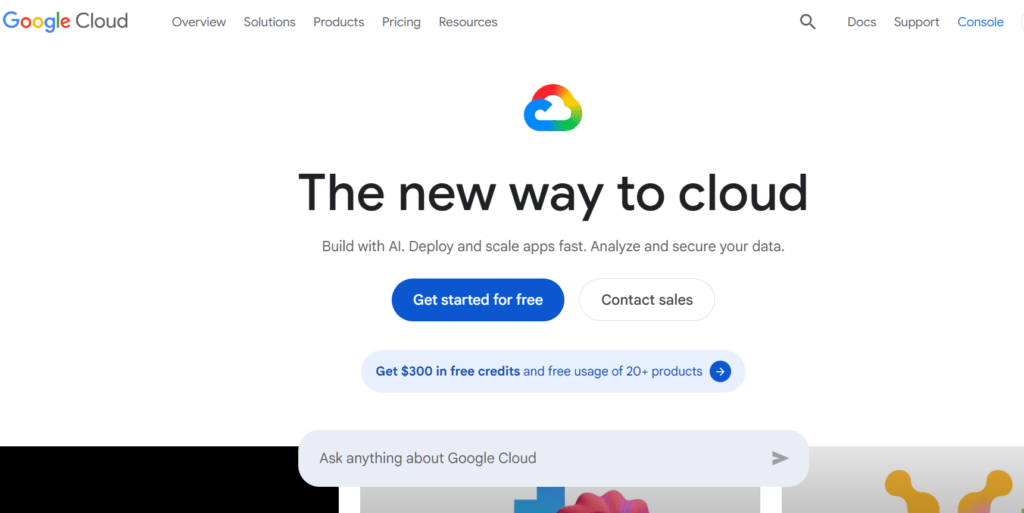
Google Cloud is Google’s cloud computing platform for building, hosting, storing, analyzing and scaling digital products. It includes services for virtual machines, cloud storage, databases, AI, machine learning, analytics, security, developer tools and serverless applications. In 2026, many users search for google cloud platform because it supports modern business needs like AI apps, data analytics, website hosting, app backends, APIs and enterprise infrastructure. New users can try G.C (Google Cloud) with free credits, but long-term cost depends on usage, region, storage, compute, data transfer and selected services.
What Exactly Is Google Cloud?
Google Cloud is a collection of cloud computing services offered by Google. Instead of buying physical servers, companies and developers can use Google’s infrastructure to run websites, apps, databases, AI workloads and analytics systems.
In simple words, G.C gives you computing power, storage, databases, networking, AI tools and developer services through the internet.
For example, a startup can host its app backend on Cloud Run, store user-uploaded files in google cloud storage, process data in BigQuery and build AI features using Vertex AI. A developer can use google compute engine to run virtual machines. A business can use G.C services for backup, analytics, security and automation.
It is different from normal Google apps like Gmail or Google Drive. Google Cloud is mainly built for developers, businesses, IT teams and technical users who need scalable infrastructure.
If you are comparing platforms, you can also explore our AI tools directory to understand how cloud services connect with modern AI apps.
Why Google Cloud Matters in 2026?
The demand for cloud platforms has increased because businesses now need speed, security, automation and AI-ready infrastructure. A company cannot rely only on local computers or manual systems if it wants to scale.
Google Cloud computing matters in 2026 because it supports:
- App hosting
- AI model deployment
- Website and API hosting
- Cloud databases
- Secure file storage
- Data analytics
- Machine learning workflows
- Business intelligence
- Serverless computing
- Startup MVP development
- Enterprise security and compliance
The most important shift is AI. Many businesses now want AI chatbots, recommendation systems, document analysis, image tools, customer support automation and data insights. G.C (Google Cloud) gives access to AI infrastructure through Vertex AI and related tools.
For beginners, G.C may look complex at first. But once you understand the main services, it becomes easier to choose what you actually need.
If your goal is to discover practical tools for work, you can also check our AI productivity tools section on Simplify AI Tools.
Google Cloud Platform Explained Simply
Google Cloud Platform is often called GCP. It is the technical name many people use for Google’s cloud services. Some users say G.C, while others say GCP. In most beginner-level conversations, both refer to the same broad platform.
GCP is useful because it offers infrastructure without forcing businesses to manage physical hardware. You can create servers, storage buckets, databases and AI workflows from your browser or command line.
Main benefits include:
- You can start small and scale later.
- You pay based on usage.
- You can deploy apps globally.
- You can use Google’s data and AI infrastructure.
- You can connect multiple services together.
- You can build secure systems with access controls.
For example, if you are building a SaaS app, you might use Cloud Run for hosting, Cloud SQL for database, Cloud Storage for files and Vertex AI for AI features.
For more comparisons, link readers to your cloud computing tools or business software tools category.
Key Google Cloud Services You Should Know
Google Cloud has many products, but beginners do not need to learn everything at once. Start with the services that solve common business and development problems.
Google Compute Engine
Google compute engine lets users create and run virtual machines on Google’s infrastructure. A virtual machine is like a computer in the cloud. Developers use it to host applications, run backend systems, test software and manage workloads that need custom server control.
It is useful when you need more flexibility than a simple serverless platform. You can choose machine type, storage, operating system and region.
Google Cloud Storage
Google cloud storage is used to store files, images, videos, backups, logs, app assets and large datasets. It is object storage, which means files are stored as objects inside buckets.
It is useful for websites, mobile apps, data backups, AI datasets, media platforms and document systems.
Cloud Run
Cloud Run is a serverless platform for running containers. It is useful when you want to deploy apps or APIs without managing servers manually.
BigQuery
BigQuery is Google Cloud’s data warehouse. It is useful for analysing large datasets, business reports, customer behaviour, app events and marketing performance.
If your audience is interested in analytics, internally link to your data analysis tools guide.
Cloud SQL
Cloud SQL is a managed database service for relational databases. It supports databases like MySQL, PostgreSQL and SQL Server.
Vertex AI
Vertex AI is Google Cloud’s platform for AI and machine learning. It helps developers build, test, deploy and manage AI models.
Google Cloud AI Tools and Vertex AI
One of the biggest reasons people explore G.C in 2026 is AI. Google Cloud’s AI tools help businesses build generative AI apps, AI agents, machine learning models and smart workflows.
Vertex AI is especially important. It provides access to Vertex AI Studio, Agent Builder and foundation models. Businesses can use it to build AI chatbots, document assistants, search tools, recommendation systems, content workflows and custom AI applications.
Common use cases include:
- Customer support AI agents
- Internal knowledge search
- Document summarisation
- Product recommendations
- AI-powered app features
- Data classification
- Fraud detection
- Image and video analysis
- AI workflow automation
This does not mean every business needs advanced AI infrastructure immediately. Small businesses can start with simple AI tools. But companies building serious AI products may need the reliability and scalability of Google Cloud.
For users exploring AI options, add an internal link to Best AI tools or AI tools list.
Google Cloud Free Credits and Free Tier
Many beginners search for “Google Cloud kit free”, but the better phrase is G.C free credits or Google Cloud Free Tier.
New Google Cloud customers can usually get free credits to try eligible Google Cloud products. G.C also offers free usage for selected products up to monthly limits.
This is useful for students, developers and startups who want to test cloud services before paying. You can use the free credits to explore Compute Engine, Cloud Storage, BigQuery, Vertex AI and other services depending on eligibility and product rules.
Important things to remember:
- Free credits are limited.
- Free Tier products have monthly usage limits.
- You should set a billing budget.
- You should delete unused resources.
- You should monitor usage regularly.
- Some services may start charging after free limits.
- Pricing can vary by region and usage.
Do not treat the free trial as unlimited hosting. It is better to use it for learning, testing and proof of concept work.
For learners, you can internally link to Free AI tools list and AI learning tools.
Google Cloud Pricing Explained Simply
Google Cloud pricing depends on what you use. There is no one fixed price for every user because cloud billing changes based on service, region, usage, data transfer and configuration.
Main pricing factors include:
- Compute usage
- Storage amount
- Storage class
- Data transfer
- Database usage
- AI model usage
- API calls
- Networking
- Monitoring
- Region
- Backup and retention settings
For example, storing 1 TB of files in Cloud Storage is different from running a high-performance virtual machine all month. Training an AI model is different from hosting a simple website.
A safe beginner rule is this: Start small, set billing alerts, use the pricing calculator and delete unused resources.
Cloud pricing can surprise beginners when they leave services running. A virtual machine, database or storage bucket may continue to create cost if not managed properly.
Before choosing G.C (Google Cloud) for business, compare it with your actual workload. If you only need a simple blog, you may not need G.C. If you need scalable apps, AI, analytics or enterprise infrastructure, it can be valuable.
Google Cloud Storage Cost: What About 1TB?
The cost of 1 TB of Cloud Storage depends on region, storage class and data transfer. As a rough example, if Standard storage in a single region is about $0.020 per GiB per month, 1 TB or roughly 1,024 GiB would cost about $20.48 per month for storage only.
Multi-region Standard storage can cost more. For example, if the rate is around $0.026 per GiB per month, 1 TB may cost about $26.62 per month for storage only.
This estimate does not include:
- Operations
- Data retrieval
- Data transfer out
- Replication
- Taxes
- Currency conversion
- Extra product features
Always use the official Google Cloud pricing calculator before making a final estimate.
Google Drive for Desktop vs Google Cloud Storage
Many users confuse google drive for desktop with google cloud storage. They are related to cloud storage in a broad sense, but they are not the same product.
Google Drive for desktop is mainly for syncing and accessing files from your computer through Google Drive. It is useful for personal files, team documents, shared folders and Workspace collaboration.
Google Cloud Storage is a developer and business infrastructure product. It is used for app files, backups, datasets, media assets and scalable object storage.
Use Google Drive for desktop when you want file sync and everyday document access. Use Google Cloud Storage when you are building apps, handling large data, creating backups or storing assets for a digital product.
This clarification can help your blog rank for both beginner and technical search intent.
Google Cloud Workshop, Skills and Learning Resources
If you are new to Google Cloud, do not start by learning every product. Start with one goal.
For example:
- Learn cloud basics first.
- Try Cloud Storage.
- Create a small Compute Engine virtual machine.
- Deploy a simple app on Cloud Run.
- Explore BigQuery with sample data.
- Try Vertex AI Studio for AI experiments.
- Learn identity and access management.
- Set up billing alerts.
Many users search for Google Cloud workshop or Google Cloud skill because they want guided learning. A workshop is useful if you want step-by-step practice. Skill badges and labs are useful if you want proof of learning.
Beginners should focus on practical projects rather than only reading documentation. Build a small website, upload files, test a database or create a simple AI demo.
For internal linking, you can connect this section to AI courses, cloud learning tools or developer tools pages.
Google Cloud Updates in 2026
Google Cloud changes often. New features, AI models, pricing updates, security tools and product improvements can appear throughout the year. That is why users should always check official release notes and product pages before making technical decisions.
In 2026, the most important areas to watch are:
- Vertex AI updates
- Gemini-related cloud features
- Agent Builder improvements
- BigQuery analytics updates
- Cloud Storage pricing changes
- Security and compliance updates
- Developer productivity tools
- Cloud Run and serverless updates
If you are writing or updating this blog later, refresh this section every few months. Outdated cloud information can reduce trust and CTR.
A good internal link here would be AI news and updates if you have such a category on Simplify AI Tools.
Google Cloud vs Azure: Which One Is Better?
One FAQ people often ask is whether GCP is better than Azure. The honest answer is that it depends on your business needs.
Google Cloud is often attractive for data analytics, AI, machine learning, Kubernetes, BigQuery and Google ecosystem integrations. Azure is often attractive for organisations already using Microsoft 365, Windows Server, Active Directory, Power Platform and enterprise Microsoft tools.
Choose Google Cloud if:
- You want strong AI and data tools.
- You use BigQuery or Google analytics workflows.
- You prefer Google’s developer ecosystem.
- You are building cloud-native apps.
- You want Vertex AI and Gemini-related services.
Choose Azure if:
- Your company already uses Microsoft 365 heavily.
- You depend on Microsoft enterprise systems.
- Your IT team is trained on Microsoft infrastructure.
- You need deep Windows and Active Directory integration.
For many businesses, the best platform is not the one with the biggest brand name. It is the one that matches your team’s skills, budget, compliance needs and existing tools.
Best Use Cases of Google Cloud
Google Cloud can be used across many industries and business types.
App and Website Hosting
Developers can host websites, APIs, SaaS platforms and mobile app backends using services like Compute Engine, Cloud Run and App Engine.
Data Analytics
Businesses can use BigQuery and Looker-related tools to analyse customer behaviour, sales trends, product performance and marketing campaigns.
AI and Machine Learning
Companies can use Vertex AI to build AI-powered tools, automate support, analyse documents or create intelligent product features.
Cloud Storage and Backup
Teams can store files, backups, videos, images, logs and datasets in Google Cloud Storage.
Startup MVP Development
Startups can use Google Cloud to test ideas, build prototypes and scale only when demand grows.
Enterprise Infrastructure
Larger organisations can use Google Cloud for databases, networking, security, monitoring and hybrid cloud systems.
For related discovery, add internal links to business automation tools, AI tools for business and data analytics tools.
Pros and Cons of Google Cloud
Pros
- Strong AI and machine learning services
- BigQuery is powerful for data analytics
- Scalable cloud infrastructure
- Useful free credits for new users
- Good options for serverless development
- Wide range of cloud products
- Strong developer tools
- Good fit for AI apps and analytics workloads
Cons
- Beginners may find it complex
- Pricing can be confusing
- Costs can rise if resources are not monitored
- Some services require technical knowledge
- Enterprise setup may need cloud experts
- Not always necessary for simple websites
- Storage cost is only one part of total billing
Common Mistakes Beginners Should Avoid
Not Setting Billing Alerts
Always create billing alerts before testing services. This helps avoid unexpected cloud costs.
Leaving Resources Running
Virtual machines, databases and storage can keep generating cost. Delete what you do not use.
Choosing Too Many Services at Once
Start with one or two services. Learn them properly before adding more.
Ignoring Security
Use strong identity and access management. Do not give broad permissions to everyone.
Confusing Google Drive With Google Cloud Storage
Google Drive is for file sync and collaboration. Google Cloud Storage is for application and infrastructure storage.
Not Checking Region Pricing
Pricing can change depending on region. Always check your selected location.
Skipping Documentation
Cloud services are powerful, but incorrect setup can create performance, security or cost problems.
Is Google Cloud Worth Using in 2026?
Yes, Google Cloud is worth using in 2026 if you need scalable infrastructure, AI tools, data analytics, storage, databases or cloud-based app hosting.
It is especially useful for:
- Developers
- Startups
- SaaS companies
- Data teams
- AI builders
- IT teams
- Enterprises
- Students learning cloud
- Businesses building digital products
But it may not be necessary for everyone. If you only need a simple portfolio website or personal blog, a basic website builder may be easier. If you need serious app infrastructure, analytics or AI features, Google Cloud becomes more valuable.
The smartest approach is to start with a small project, use free credits carefully, monitor billing and scale only when needed.
Conclusion
Google Cloud in 2026 is powerful for AI, storage, computing, analytics and app development. Beginners should start with free credits, learn core services and monitor billing carefully. For businesses, G.C is most valuable when it solves a clear technical or data problem.
FAQs
Google Cloud is Google’s cloud computing platform for hosting apps, storing files, running databases, analysing data, building AI features and managing digital infrastructure. It includes services like Compute Engine, Cloud Storage, Big Query, Cloud Run and Vertex AI for developers, businesses, IT teams and enterprises.
Google Cloud is not fully free forever, but new customers can usually access free credits and selected Free Tier products up to monthly limits. Free credits are useful for testing, learning and proof of concept work. After limits are reached, billing depends on actual usage and selected services.
GCP is better for some users, while Azure is better for others. G.C is strong for AI, BigQuery, data analytics and cloud-native development. Azure is often preferred by organizations already using Microsoft 365, Windows Server, Active Directory and Microsoft enterprise tools.
The cost depends on region, storage class and data transfer. As a rough estimate, 1 TB of Standard single-region storage may cost around $20.48 per month for storage only, while multi-region storage can cost more. Operations, retrieval, transfer and taxes may add extra charges.
Yes, Google Cloud can be good for beginners if they start slowly. New users should begin with free credits, Cloud Storage, Compute Engine, Cloud Run or BigQuery sample data. The key is to set billing alerts, follow tutorials and avoid launching too many services at once.

Disclaimer: Views are the author’s own. Content is informational only.
Was this article helpful?
A quick vote helps us improve the guides readers find most useful.
Join the discussion
Share your experience, ask a question, or add something useful for other readers.