Top 10 Best AI Website Builders in 2026: Free, Prompt-Based and No-Code Options
Compare 10 AI website builders for 2026, including free, prompt-based, and no-code options. Find the best tool for your small business, portfolio, or ecommerce site...

Building a website in 2026 is no longer only about templates and drag-and-drop editing. With AI website builders, you can describe your business, choose a style and get a working first draft in minutes. In this Simplify AI Tools guide, we compare the Best AI Website Builder options for beginners, small businesses, creators and startup founders.
If you are still exploring different AI categories, you can also check the Best AI tools directory on Simplify AI Tools before choosing a website builder.
What Is the Best AI Website Builder in 2026?
The Best AI Website Builder in 2026 depends on what you need. Wix AI Website Builder is a strong option for beginners. Hostinger is useful for budget-conscious users. Framer is better for modern design and landing pages. 10Web is a good choice for WordPress users. Mixo works well for quick startup landing pages. TeleportHQ is suitable if you want an AI website builder with code or code export. There is no single perfect tool for everyone, so the right choice depends on your website type, budget, editing comfort, SEO needs and whether you want no-code simplicity or developer control.
What Is an AI Website Builder?
An AI website builder is a tool that helps you create a website using artificial intelligence. Instead of starting with a blank page, you answer a few questions or write a prompt. The tool then creates a website layout, page sections, basic copy, design style and sometimes images.
A normal website builder usually gives you templates and asks you to edit everything manually. An ai powered website builder gives you a first draft faster. You can then edit the text, change images, adjust colours, connect a domain and publish.
A good AI website builder with prompt does not remove the need for human editing. It simply saves time at the starting stage. You should still check your homepage copy, contact details, mobile layout, SEO title, service pages and trust signals before publishing.
Why AI Website Builders Matter in 2026?
AI website builders matter in 2026 because more businesses want to launch online quickly without spending weeks on design or thousands on development. A freelancer, shop owner, coach, agency, blogger or startup founder can now create a professional first version of a website without writing code.
For business owners comparing more than website tools, the Free AI tools for business guide can help you find extra tools for writing, design, automation and daily productivity.
User behaviour has also changed. People do not want only templates now. They want prompt-based tools that understand their business and suggest relevant pages, headlines, calls to action and layouts.
Another reason is search visibility. A website still needs useful content, crawlable pages, good structure and real value. Google’s AI features do not remove SEO fundamentals. Pages need to be indexed, helpful and eligible to appear as supporting links in AI features. That is why the Best AI Website Builder in 2026 should not only create a pretty page. It should also help with mobile design, headings, metadata, speed, editing control and long-term website growth.
How Simplify AI Tools Selected These AI Website Builders?
At Simplify AI Tools, we do not recommend a tool only because it is trending. This guide compares AI website builders based on public features, official product information, practical use cases and suitability for real users.
Here is what matters most:
- How easy it is to create a site from a prompt
- Whether a beginner can edit the site without stress
- Free plan, trial or low-cost starting option
- Hosting, SSL and domain support
- SEO settings and page structure
- Mobile responsiveness
- Ecommerce or landing page support
- Code export or developer control
- Design flexibility
- Pricing transparency
- Long-term scalability
- Whether the tool is suitable for small business use
Pricing, AI credits and plan limits may change. Always check the official website before buying any paid plan.
Top 10 Best AI Website Builders in 2026
Here are the Top 10 Best AI Website Builders in 2026 for free, prompt-based, no-code and business website creation.
Featured AI Website Builder: Nicepage

Best for: Web designers, agencies, WordPress and Joomla users, and people who want AI generation with detailed design control
Free option: Yes, Starter plan
Best keyword fit: AI website builder with HTML export
Nicepage AI Website Builder is an AI-powered, no-code website builder that combines AI website generation with detailed visual editing. Users can create complete pages, individual sections and website copy with AI, then customize layouts, colors, typography, spacing and responsive settings through a drag-and-drop editor.
What Makes Nicepage Different?
Nicepage includes an AI Page Builder for generating complete pages, an AI Block Builder for sections such as services and testimonials, and an AI Text Builder for creating headings and website copy.
Unlike many prompt-only AI website builders, Nicepage gives users more control after generation. It is available through an Online Builder, Windows and macOS desktop apps, a WordPress Plugin and a Joomla Extension.
One of its strongest features is HTML export, which makes it useful for developers and agencies that want more flexibility over where a website is hosted or managed.
Nicepage also provides more than 15,000 responsive page and block designs for business websites, portfolios, blogs, landing pages and online stores.
Nicepage Pricing
Nicepage uses a freemium model with a free Starter plan. Paid Personal, Business, Pro and Ultimate plans provide higher project limits, additional templates, hosting resources, collaboration features and ecommerce tools.
Pros
- Suitable for agencies and client projects
- AI page, block and text generation
- Detailed drag-and-drop editing
- HTML export
- WordPress and Joomla support
- Windows and macOS desktop apps
- 15,000+ responsive designs
Official source checked: Nicepage AI Website Builder
1. Wix AI Website Builder
Best for: Beginners, small businesses, service websites and simple ecommerce
Free option: Yes, you can start building for free
Best keyword fit: AI website builder free with prompt
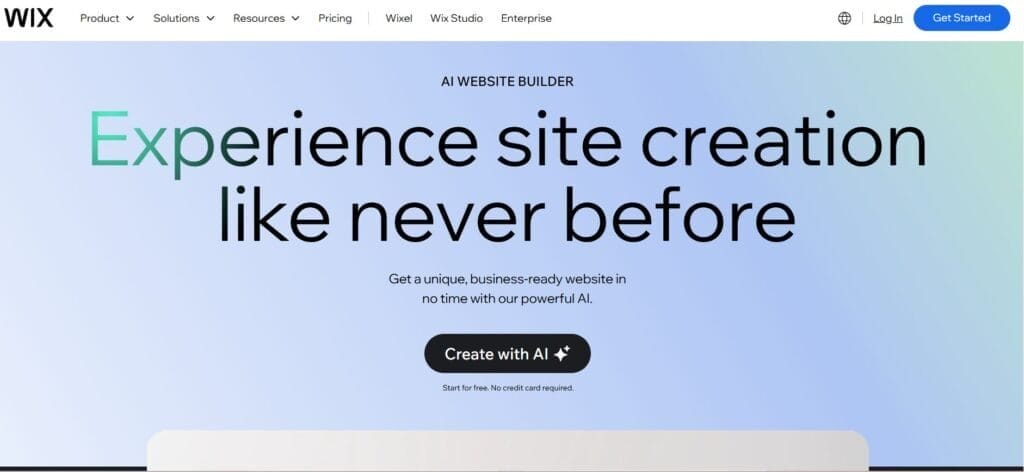
Wix AI Website Builder is one of the most beginner-friendly choices in 2026. Instead of manually selecting every section, you can use a conversational AI setup to create a website based on your business type, goals and style preferences.
Wix lets users start building with AI for free, but a Premium plan is normally needed for custom domains, online payments and additional professional features. That makes it useful for testing ideas before paying.
The biggest advantage of Wix is its ecosystem. You get templates, apps, ecommerce options, SEO tools and a visual editor in one place. It is a good option if you want a website that looks professional without learning web design.
The catch is that advanced features, apps and premium plans can increase the cost. Also, some users may still need time to customise the AI-generated design properly.
Official source checked: Wix AI Website Builder
2. Hostinger AI Website Builder
Best for: Budget users, solopreneurs, small businesses and personal websites
Free option: 14-day free trial
Best keyword fit: best free ai website builder
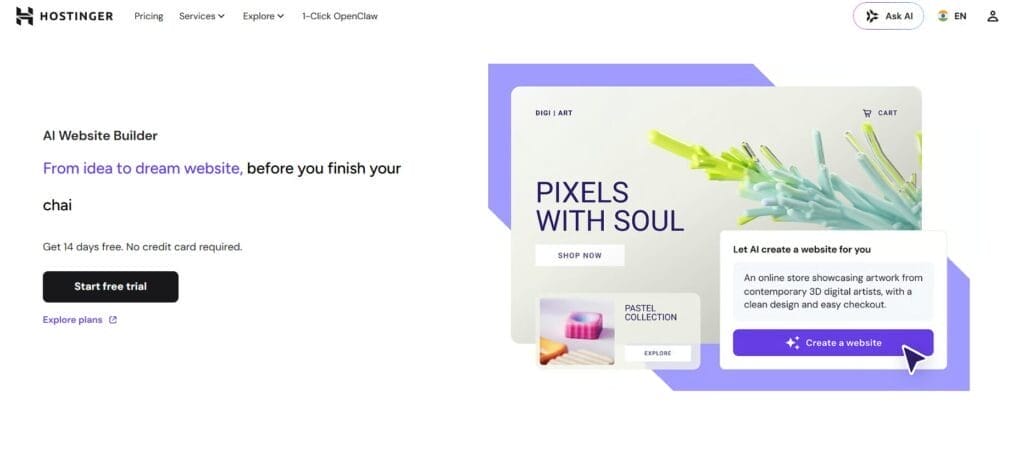
Hostinger AI Website Builder is a strong option if budget is your main concern. It is designed for users who want hosting, website creation and basic AI tools in one place.
Hostinger offers a trial-based starting point, and a paid plan is usually needed to publish the website live. Its website builder also includes AI writing, design tools, ecommerce features, built-in SEO and marketing support depending on the plan.
This makes Hostinger useful for small businesses that want a simple site with hosting included. You can use it for a business homepage, portfolio, landing page or basic ecommerce site.
The limitation is design depth. If you want highly customised layouts, animations or advanced creative control, Framer or developer-focused builders may suit you better.
Official source checked: Hostinger AI Website Builder
3. Framer AI

Best for: Designers, portfolios, SaaS landing pages and modern websites
Free option: Yes
Best keyword fit: AI website builder with prompt
Framer is a design-focused website builder that works well for people who care about visual quality. It is especially useful for landing pages, portfolios, startup websites and modern product pages.
If your main priority is visual quality, compare this with our AI website design tools guide to explore more design-first AI options.
Framer promotes free website creation with design freedom, CMS, built-in SEO and hosting. This makes it attractive for creators and startups who want their site to look sharp from the beginning.
The best part about Framer is flexibility. You can create polished pages, use modern layouts and adjust designs more deeply than many beginner website builders. It feels closer to a design tool than a basic template builder.
The catch is the learning curve. A complete beginner may find Wix or Hostinger easier. Also, a free plan is useful for testing, but professional use usually needs a paid plan for custom domain and serious brand presence.
Official source checked: Framer
4. 10Web

Best for: WordPress users, agencies and businesses that want AI plus WordPress
Free option: Free generation and trial access
Best keyword fit: WordPress AI website builder
10Web is useful if you want an AI website builder but still prefer the WordPress ecosystem. It helps users build, host and manage websites with AI support.
10Web provides AI website generation and WordPress-based website management. It is suitable for users who want more long-term flexibility than closed website builders.
This is a good option for people who want room for blogging, plugins and SEO expansion. WordPress gives more control, especially when the site grows beyond a simple landing page.
The limitation is that WordPress still needs care. You may need to manage plugins, design consistency, performance, backups and security settings. It is not as simple as a one-page landing page builder.
Official source checked: 10Web AI Website Builder
5. Durable
Best for: Local businesses, service providers and fast launches
Free option: Yes
Best keyword fit: AI website builder free
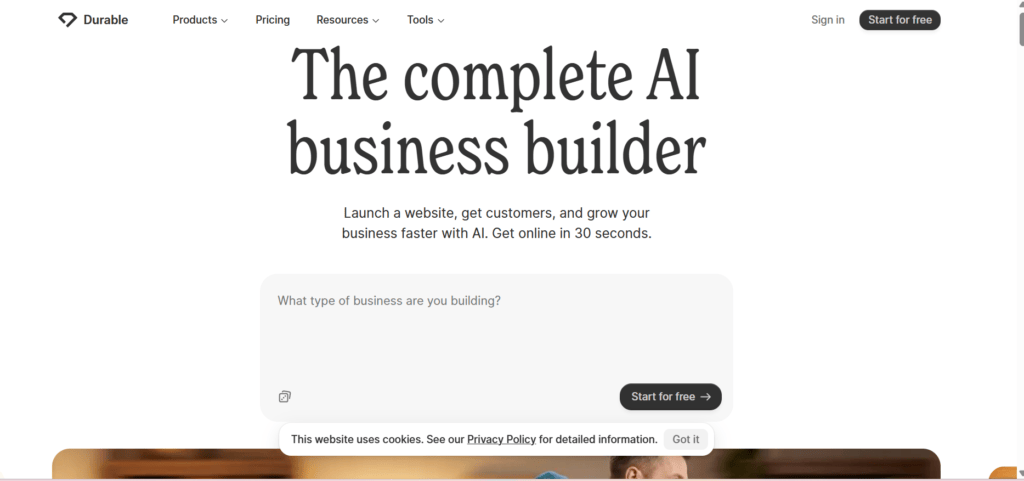
Durable focuses on speed. It is designed to help business owners launch a website quickly and start collecting leads.
Durable is useful for local service businesses like coaches, repair services, consultants, cleaners, small agencies and professionals who need a simple business website fast.
The biggest advantage is that Durable is not only about a website. It also includes business tools such as CRM, invoicing and AI-powered support depending on the plan.
The catch is that fast websites are not always polished websites. You should edit the AI copy, check the mobile layout, add real images and improve service pages before publishing seriously.
Official source checked: Durable
6. Mixo

Best for: Startup landing pages, idea validation and lead capture
Free option: Yes
Best keyword fit: Free AI website builder with prompt
Mixo is a good option if you want to test a business idea quickly. It is designed for launching simple, lead-generating websites rather than complex multi-page business sites.
Mixo lets users describe their business and create a website from a prompt. Its free plan is useful for testing an idea before investing in a full website setup.
This makes Mixo useful for waitlists, startup ideas, small campaigns, product validation and email collection.
The limitation is scope. If you need many pages, deep SEO structure, custom design or ecommerce, Mixo may feel limited. But for testing an idea fast, it is practical.
Official source checked: Mixo
7. TeleportHQ

Best for: Developers, technical founders and users who want code export
Free option: Free account or trial access
Best keyword fit: AI website builder free with code
TeleportHQ is different from beginner website builders. It is more developer-friendly because it focuses on visual building and code export.
TeleportHQ describes itself as an AI-powered website builder with a visual low-code editor, headless content modelling and code export. This makes it a strong choice if you are searching for an AI website builder with code.
If you are searching for an AI website builder open source, be careful. Not every tool with code export is open source. Check licence terms, hosting options and export rights before using it for client or production work.
The catch is that TeleportHQ is not the easiest choice for non-technical users. Wix, Hostinger or Jimdo are simpler for beginners.
Official source checked: TeleportHQ AI Website Builder
8. Design.com AI Website Builder
Best for: Branding, logos, simple business websites and visual identity
Free option: Try it for free
Best keyword fit: AI website design tool
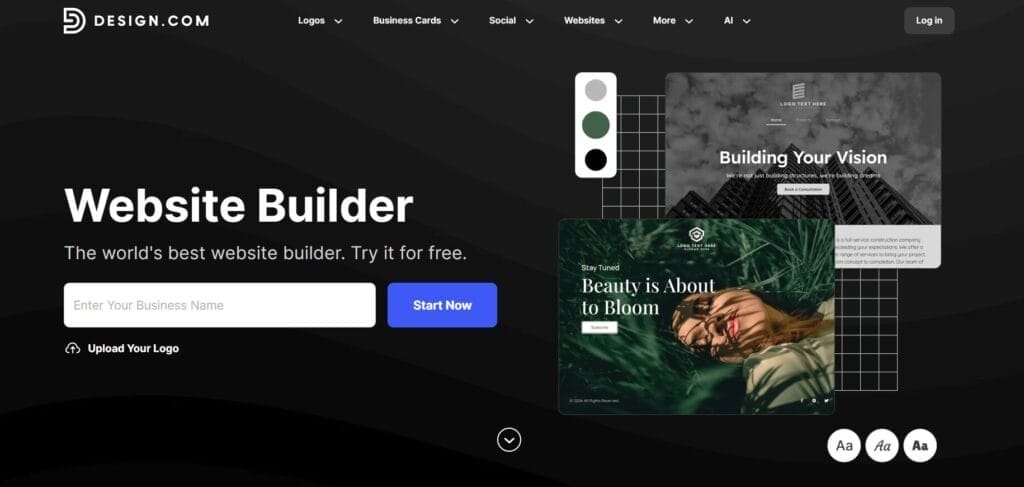
Design.com is useful if you are starting from zero and need not only a website, but also basic branding. Its platform focuses on AI-powered design for logos, websites, business cards and social visuals.
This tool is practical for small business owners who need a brand identity and a website together. It can help users create a more consistent visual starting point before launching online.
Design.com is useful for local businesses, freelancers, consultants and creators who want quick branding support before publishing a website.
The catch is that branding-first tools may not provide the same website depth as Wix, Framer or 10Web. If your website needs complex pages, membership, advanced ecommerce or custom code, you may need another tool.
Official source checked: Design.com
9. Jimdo

Best for: Local businesses, solo entrepreneurs and simple websites
Free option: Yes
Best keyword fit: Best AI website builder for free
Jimdo is a simple website builder for people who want a quick, guided setup. It is especially useful for local businesses, personal brands and service providers.
Jimdo offers AI-assisted website creation and free testing options, which makes it suitable for users who want to try a simple builder before paying.
This makes Jimdo a good option if you want a low-stress website builder. It is most useful when your website needs are simple, local and service-focused.
The limitation is flexibility. It is not ideal for users who want advanced design freedom, complex ecommerce or developer-level control.
Official source checked: Jimdo
10. Olitt
Best for: Small businesses, quick websites, simple marketing and budget users
Free option: Check current plan availability
Best keyword fit: prompt-based business website builder
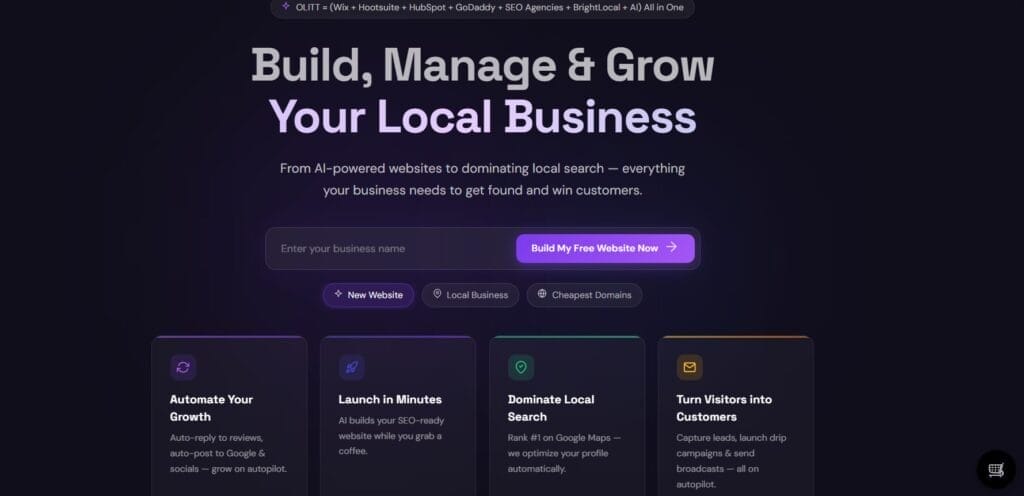
Olitt is a lightweight AI website builder aimed at users who want simple websites, marketing tools and business growth features without a complicated setup.
Olitt may be worth considering for users who want a low-cost AI website builder with basic business features included. It can suit small businesses that need a quick online presence.
The main benefit is simplicity. If you do not want a heavy builder and only need a practical business website, Olitt may be enough.
The catch is that Olitt is not as established as Wix, Hostinger or Jimdo. Before committing, check current pricing, support quality, template depth, export options, domain rules and whether the builder fits your country, payment method and long-term needs.
Official source checked: Olitt
Best AI Website Builder Comparison Table
| Tool | Best For | Free Option | Prompt-Based | Code Export | Best Strength | Main Limitation |
|---|---|---|---|---|---|---|
| Nicepage (Featured) | Designers, agencies, WordPress & Joomla users | Yes | Yes | Yes | AI generation, detailed visual control & HTML export | More features to learn |
| Wix AI Website Builder | Beginners and small businesses | Yes | Yes | No | Easy setup and strong ecosystem | Premium features cost more |
| Hostinger AI Website Builder | Budget websites and small businesses | Trial | Yes | No | Hosting plus AI website builder | Less advanced design freedom |
| Framer AI | Designers, startups and landing pages | Yes | Yes | Limited | Modern design quality and visual flexibility | Learning curve for beginners |
| 10Web | WordPress users and agencies | Trial | Yes | WordPress-based | AI generation plus WordPress flexibility | Requires WordPress management |
| Durable | Local businesses and fast launches | Yes | Yes | No | Fast website creation plus business tools | Generated sites may need polishing |
| Mixo | Startup landing pages and idea validation | Yes | Yes | No | Quick prompt-based lead capture sites | Limited for complex websites |
| TeleportHQ | Developers and technical founders | Trial | Yes | Yes | Developer-friendly visual building and code export | Less beginner-friendly |
| Design.com | Branding and simple business websites | Try free | Yes | No | Website builder plus branding assets | Less suitable for complex websites |
| Jimdo | Local businesses and solo entrepreneurs | Yes | Yes | No | Simple guided website creation | Limited design flexibility |
| Olitt | Budget users and simple business websites | Check plan | Yes | Check plan | Simple business and marketing features | Less established than major competitors |
Pricing, free plans and feature limits may change. Always check official pricing pages before buying.
Best AI Website Builder for Different Use Cases in 2026
Best AI Website Builder for Small Businesses
For small businesses, Wix, Hostinger, Durable and Jimdo are practical choices. Wix gives flexibility, Hostinger keeps costs low, Durable helps with fast launches and Jimdo keeps things simple. Choose based on whether you need ecommerce, booking, local SEO, blog pages or only a clean service website.
Best Free AI Website Builder With Prompt
If you want a free AI website builder with prompt, start with Wix, Mixo, Framer, Jimdo or Durable. The free option is useful for testing, but serious websites usually need a paid plan for custom domain, no branding, better SEO controls and professional trust.
Best AI Website Builder With Code Export
TeleportHQ is the strongest option on this list if code export matters. It suits developers and technical founders who do not want to be fully locked into a closed platform. If you want an AI website builder free with code, always check export limits before starting.
Best AI Website Builder for WordPress
10Web is a good fit if you want AI website creation while staying close to WordPress. It is useful for bloggers, agencies and businesses that care about long-term content, plugins and SEO flexibility.
Best AI Website Builder for Landing Pages
Mixo, Framer and Durable are good landing page choices. Mixo is great for idea validation, Framer is stronger for design and Durable is useful for service businesses that need a fast online presence.
How to Choose the Best AI Website Builder?
Before choosing the Best AI Website Builder, be clear about your goal. A tool that is perfect for a one-page landing page may not be right for a full ecommerce store.
Use this checklist:
- Decide whether you need a business website, blog, portfolio, landing page or online store.
- Check if hosting and SSL are included.
- Check whether you can connect a custom domain.
- Review mobile responsiveness.
- Check SEO title, meta description and heading controls.
- See if the free plan shows ads or platform branding.
- Test how good the AI-generated copy is.
- Check if ecommerce features are included or paid.
- Review code export if you want developer control.
- Check renewal pricing, not only first-year discounts.
- Review customer support options.
- Make sure you can edit AI-generated sections easily.
The cheapest tool is not always the best. The right tool is the one that helps you publish a clear, trustworthy and useful website without creating problems later.
Pros and Cons of AI Website Builders in 2026
Pros
- You can create a website draft quickly.
- They are useful for non-technical users.
- Many tools include hosting and SSL.
- Prompt-based creation saves time.
- They help with page copy, layout and structure.
- Some tools include basic SEO settings.
- Free plans and trials make testing easier.
- They are good for MVPs, landing pages and small business sites.
Cons
- AI-generated copy can sound generic.
- You still need to edit facts and brand tone.
- Free plans often include branding or subdomains.
- Advanced ecommerce may need higher plans.
- Platform lock-in can be a problem.
- Not every tool offers code export.
- SEO still needs human planning.
- Complex apps still need developers.
The Best AI Website Builder should reduce your workload, not remove your responsibility to review the final website.
Common Mistakes to Avoid Before Publishing Your AI-Built Website
Publishing AI Copy Without Editing
AI can write a homepage, but it does not know your real business details unless you provide them. Edit your services, pricing, location, team details and proof points.
For stronger page copy, pair your builder with AI writing tools for website content, then edit the final text in your own brand voice before publishing.
Ignoring Mobile Layout
Many users will visit your site on mobile. Always check buttons, images, menus, forms and text spacing on mobile before publishing.
Using a Free Subdomain for a Serious Business
A free subdomain is fine for testing. For a real business, use a custom domain because it builds trust.
Forgetting Contact Forms
Make sure visitors can contact you easily. Add phone number, email, contact form, WhatsApp link or booking button where relevant.
Not Adding Local SEO Details
If you serve a city or region, add location pages, service area details, Google Business Profile link and local contact information.
Using Generic Stock Images
Generic images reduce trust. Add real product photos, team photos, office photos, screenshots or custom visuals wherever possible.
Not Connecting Google Search Console
After publishing, connect Google Search Console. It helps you check indexing, performance, search queries and technical issues.
Not Creating Separate Service Pages
A single homepage is not enough for many businesses. If you offer multiple services, create separate pages with clear information.
Is an AI Website Builder Worth Using in 2026?
Yes, an AI website builder is worth using in 2026 if you need a fast, affordable and beginner-friendly way to launch a website.
It is especially useful for:
- Small businesses
- Freelancers
- Coaches
- Consultants
- Creators
- Portfolio owners
- Startup founders
- Students
- Local service providers
- Landing page campaigns
However, it may not be enough for complex SaaS products, large ecommerce stores, custom dashboards, advanced backend systems or brands that need a fully custom design system.
The best approach is simple. Use AI to create the first version faster, then improve it with your own content, real proof, better visuals, SEO structure and human editing.
Simplify AI Tools Verdict
At Simplify AI Tools, our recommendation is to choose based on use case, not hype.
You can also compare these builders with our Best no-code AI tools guide if you want to create websites, apps, forms and workflows without coding.
If you are just starting out, Wix, Hostinger or Jimdo are easy options to explore. For a quick landing page, Mixo or Durable can work well. If you care more about modern design and visual control, Framer is a better fit. For WordPress-based websites, 10Web is a practical choice. And if you need code export or developer-friendly control, TeleportHQ is worth considering.
Do not choose only because a tool says “AI”. Check editing control, SEO settings, hosting, custom domain support, export options, renewal pricing and long-term flexibility.
Test two or three tools before paying. A 20-minute trial can save you months of frustration later.
Conclusion
The Best AI Website Builder in 2026 is the one that matches your goal, budget and editing comfort. If you’re a beginner, choose a simple tool that makes building and publishing easy without any confusion. Developers should focus on tools that offer code export options and advanced customization. For businesses, prioritize features like SEO settings, secure hosting, strong security, and dependable customer support. Simplify AI Tools always recommends testing a platform before purchasing a paid plan.
FAQs
ChatGPT is a general AI assistant, not a dedicated website builder. For website creation, Wix AI Website Builder, Hostinger, Framer, Mixo, 10Web and TeleportHQ are more focused. ChatGPT can still help with website copy, page ideas, prompts and SEO content planning.
For AI website building, the top three broad choices are Wix AI Website Builder, Hostinger AI Website Builder and Framer AI. Wix is easier for beginners, Hostinger is budget-friendly and Framer is stronger for design. For WordPress users, 10Web can be a better fit.
Most serious AI website builders are not fully free forever for professional use. Some offer free plans, trials or free subdomains. Custom domains, ecommerce, advanced SEO, hosting upgrades and branding removal usually require paid plans. Always check the official pricing page before publishing.
Wix, Mixo, Jimdo, Durable and Framer are good starting points if you want a free or trial-based prompt website builder. Mixo is strong for landing pages, Wix is beginner-friendly and Framer is better for design. Check whether publishing and custom domains are included.
Yes, some AI website builders can create websites with editable code or export options. TeleportHQ is a strong example because it focuses on low-code building and code export. Beginner-focused tools usually keep your website inside their platform instead of giving full code control.

Disclaimer: Views are the author’s own. Content is informational only.
Was this article helpful?
A quick vote helps us improve the guides readers find most useful.
Join the discussion
Share your experience, ask a question, or add something useful for other readers.